Are you getting the following error message:
Error message “A Ubisoft service is not available at the moment” on Ubisoft Connect PC.
Error messages “Service is unavailable” and “A Ubisoft Server is unavailable” on Ubisoft Connect PC.
These are a few of the error messages that users are getting when they try to open or load the Ubisoft store.
If you are also facing such an issue, then do not worry, in this article, you will learn how to fix Ubisoft Store not loading, not opening, not working or not showing up.
How To Fix Ubisoft Store Not Loading [3 Solutions]
In order to fix Ubisoft Store not loading/not working/not opening or not showing, you have to follow these solutions:
- Clear Ubisoft Connect’s Cache Files
- Run Ubisoft as an Admin
- Uninstall and Re-install Ubisoft
Fix 1. Clear Ubisoft Connect’s Cache Files
- First logout from your Ubisoft account and close the app.
- Press “Win + R” on your keyboard to open Run.
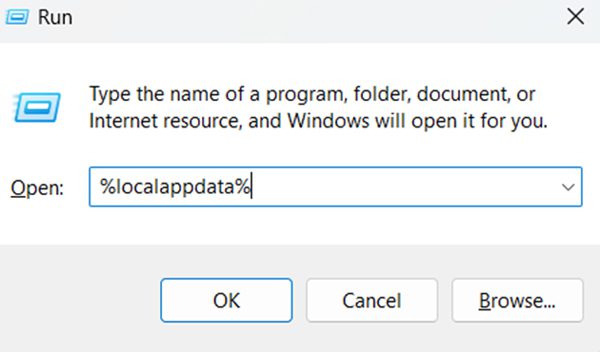
- Type “%localappdata%” in run box and hit ENTER.
- Search for “Ubisoft Game Launcher” and delete it.
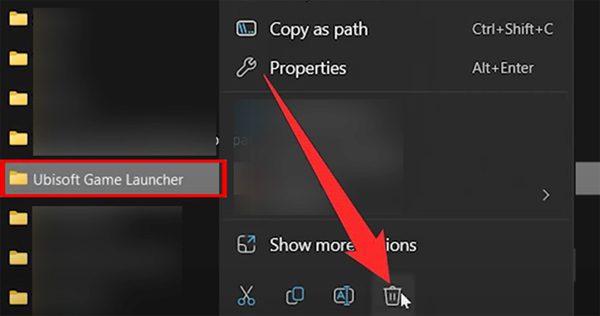
Now open Ubisoft app and login to your account and see if it fixed the issue.
Fix 2. Run Ubisoft as an Admin
- Right-click “Ubisoft connect” app and click on “Open file location”.
- Now search for “UbisoftConnect.exe” and right-click on it and select “Properties”.
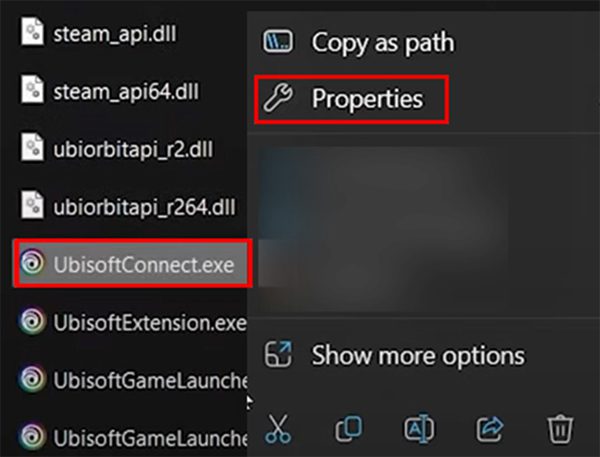
- Go to “Compatibility” tab and tick mark “Run this program in compatibility mode for:” and select “Windows 8” from the drop-down menu.
- Also, tick mark “Run this program as an administrator”.
- Click on “Apply” and then on “OK”.
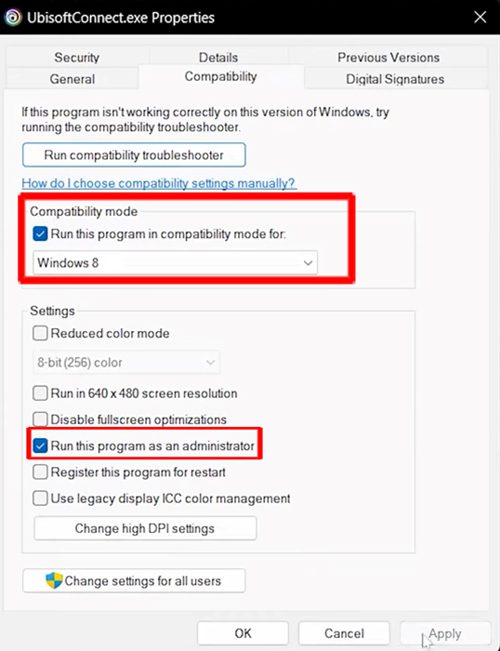
After, this check if your problem is fixed.
Fix 3. Uninstall and Re-install Ubisoft
- Click on Windows icon and go to Settings > Apps > Installed Apps.
- Here look for Ubisoft Connect and click on 3 horizontal dots and select “Uninstall”.
- Now, re-install Ubisoft connect from here – https://ubisoftconnect.com/
If you have found this article helpful, then please share it as it can help other users!
Please support us by subscribing to our YouTube Channel.

Max Field is a founder of Recover Android Data. He is an Android lover and loves to write tips, tricks, fixes for errors, data recovery solutions, and more related to Android. He has 13+ years of experience in this field. In his free time, he likes to travel, watch movies, and play games.