
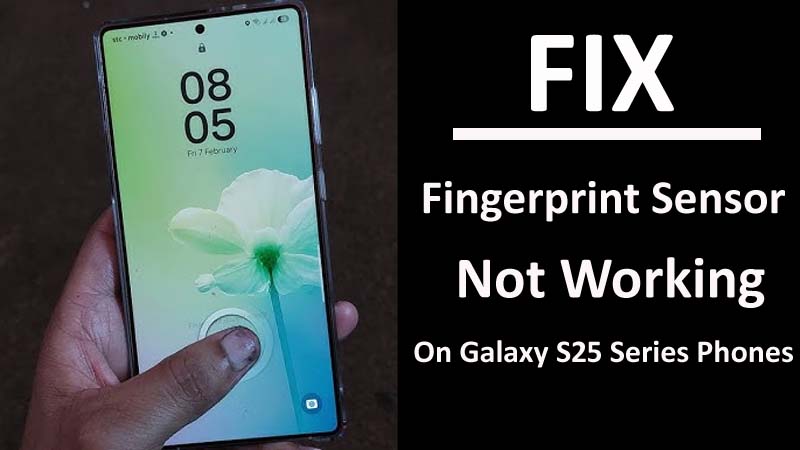
Is your Samsung Galaxy S25, S25+, or S25 Ultra fingerprint scanner unresponsive to your touches? If yes then you don’t need to worry as this guide has gathered some effective solutions to fix Samsung Galaxy S25/S25+/S25 Ultra fingerprint scanner not responding/working.
Before discussing the methods, it is important to know the causes behind this issue.
Causes: Why Fingerprint Scanner Not Working On Samsung S25 Ultra/S25 Plus/S25
There could be several reasons why your fingerprint scanner not working properly on Samsung S25 series phones. Here we have discussed some of them:
- Dirt and debris can accumulate on your phone’s scanner surface and cause problems in recognizing your fingerprint.
- If your fingerprint was not properly registered during the initial setup or if it didn’t have enough data points of your finger then also you will encounter this problem.
- Cracks and scratches on the scanner can led to this problem.
- If you are using older version of OS on your device then it can cause the scanner to misbehave.
- If your Galaxy phone has been dropped on water or physically damaged then the fingerprint scanner’s component can be damaged.
So, these are the main reasons behind unresponsive fingerprint scanner issue. Now, we will dig into the methods to fix fingerprint scanner not working/responding on Samsung Galaxy S25 (Plus) (Ultra).
How To Fix Fingerprint Sensor Not Responding On Galaxy S25 Series Phones
Method 1: Clear Phone Screen And Fingers
Firstly, you should wash your hands and dry it. Then with the help of cotton cloth clean the fingerprint scanner area gently.
After this, try to unlock your phone with fingerprint scanner to check it is working or not.
Method 2: Properly Place Your Finger
You need to remember that how you have placed your finger at the initial setup and how much pressure you have given at that time. Try to copy the registration process while unlocking your Samsung handset.
If the sensor is not recognizing your fingerprints then you should try to change the angle of your finger and place it on the entire scanner.
If still the Galaxy phone is not working then you should check that the screen protector is not scratched or dirty. If the tempered glass has scratches in the sensor area, then yopu should remove the glass and check scanner is working fine or not. If it is working then it means that the protective films was creating the problem and you need to change it with the Samsung approved protector.
Method 3: Register Your Fingerprint Again
As I have discussed above that if your fingerprint was not registered correctly during the initial setup or if you have not properly placed your finger on the scanner then you will face this problem.
So, to fix it, you need to register your fingerprints again.
Here are the steps to do the same:
- Open the Settings app on your phone.
- Then go to Biometrics and security option.
- After this, tap on Fingerprints.
- Now, delete the existing fingerprints and register them again.
Note: While registering, ensure to keep your finger on the sensor properly until the registration process gets completed.
Method 4: Install Latest Android OS
If you are using outdated Operating System on your phone then it can cause several errors including fingerprint sensor is not responding, please try again later.
So, to fix it you need to check update for latest OS and if the update is available then download and install it.
Here learn how to download and install latest OS version on your Samsung S25 series phone:
- Navigate to Settings.
- Scroll down to Software Update option and hit on it.
- Now check if there is any new updated available or not.
- If the latest version of OS is available then follow the on-screen steps to download and install it.
- Now restart your phone and check Galaxy S25 fingerprint scanner not responding issue is solved or not.
Method 5: Wipe Cache Partition To Solve Fingerprint Sensor Not Working
If Samsung fingerprint sensor not working after update then you can clear the cache partition of your phone to solve this issue.
Here follow the steps to wipe the cache partition of your Samsung S25, S25 Plus, or S25 Ultra:
- Power off your Galaxy phone.
- Then press and hold Volume Up + Power + Bixby buttons together.
- Keep pressing them until the Samsung logo appears on the screen.
- Now, with the help of Volume keys highlight “Wipe cache partition” option.
- Then confirm it by pressing the Power button.
- Now, restart your mobile.
Method 6: Perform Factory Reset
If the above methods failed to work then you can factory reset your device. Doing this can resolve the issue but it will delete all your device data as well.
Hence, you are suggested to create a backup of all important data and then follow the below steps to reset your handset.
- Go to Settings and select General management.
- Select Reset and tap on Factory data reset.
- Now, follow the on-screen instructions to complete the process.
Once it’s done, restore your data and check if the problem is now resolved or not.
Method 7: Fix Fingerprint Scanner Not Working/Responding issue Via Android Repair Tool
If factory resetting the phone didn’t solve the problem then lastly you should try third-party Android Repair software as it will help you in fixing Samsung Galaxy S25, S25 Plus, or S25 Ultra fingerprint scanner not responding.
 |
 |
Android System Repair tool can solve different types of issue like system crash, apps keep crashing, stuck in black or white screen of death, system update failure etc.
Here is the complete guide on how to use the Android Repair Tool to fix fingerprint sensor not working on Samsung Galaxy S25, S25 Plus, S25 Ultra.
Wrap Up
So, these are 7 effective methods to fix Galaxy S25 (Plus) (Ultra) fingerprint scanner not responding. We hope any one of the solutions has worked for you.
If the simple methods failed to resolve the issue, then you are recommended to try Android Repair tool to solve the fingerprint scanner not working or recognizing issue.
If you are encountering any other type of issue on Samsung handset then you can go through our Samsung Galaxy S25 issues section.
You May Also Like:
- Fix Samsung S25/S25 Plus/S25 Ultra Auto Rotate Not Working
- How To Fix Samsung S25/S25 Plus/S25 Ultra Overheating Issues
- How To Fix Green Line Issue On Samsung S25/S25+/S25 Ultra

Max Field is a founder of Recover Android Data. He is an Android lover and loves to write tips, tricks, fixes for errors, data recovery solutions and more related to Android. Provide Gaming Tips, Tricks, Game Error/Issues Solutions (PC/Xbox/PlayStation/Mobile). He is now also interested in solving LinkedIn Puzzles. He has 12+ years of experience in this field.