
Steam plays an important role in purchasing games, particularly when they are on sale.
But sometimes glitches/bugs occur and create a problem that you can’t seem to fix.
There are many users out there facing one such error.
The error is as follows:
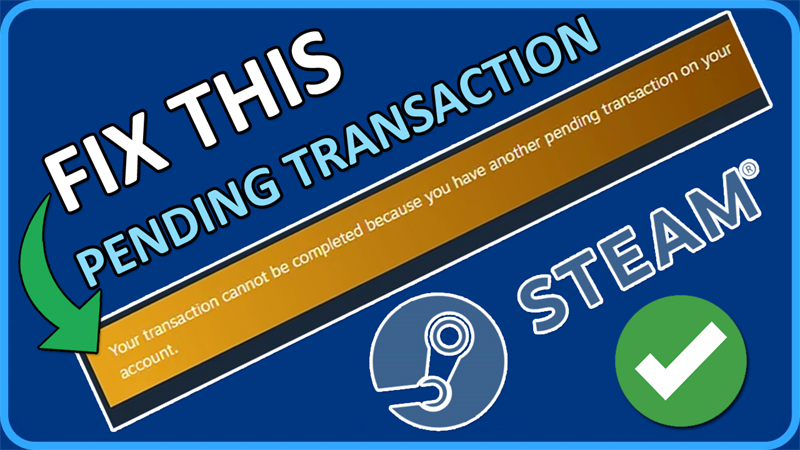
“Your transaction cannot be completed because you have another pending transaction on your account”
In this article, you will learn how to fix pending transaction error in Steam.
How To Fix Pending Transaction Error In Steam
To fix pending transaction error in Steam, you can follow these solutions:
- Cancel Your Pending Transaction
- Turn OFF VPN or Proxy Server
- Contact Steam Customer Support
- Use Steam Website
- Wait, Wait and Try Later
Fix 1: Cancel Your Pending Transaction
- Open Steam.
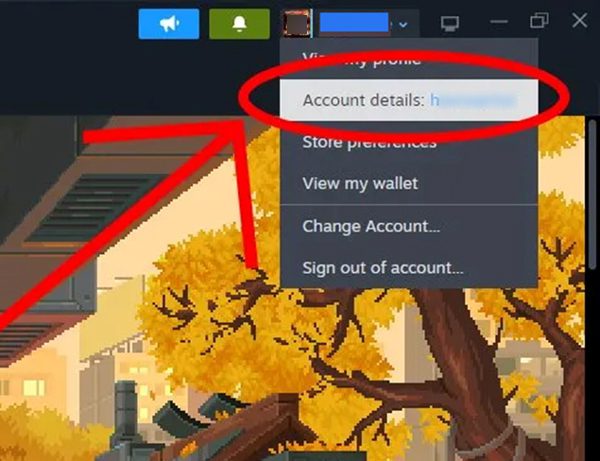
- Click on your “Steam Profile Name” in the top right corner and click on “Account details”.
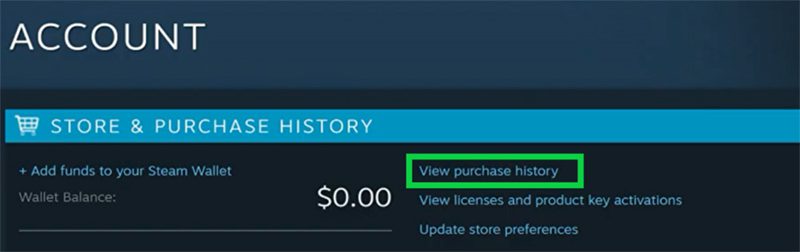
- Click on “View purchase history”.
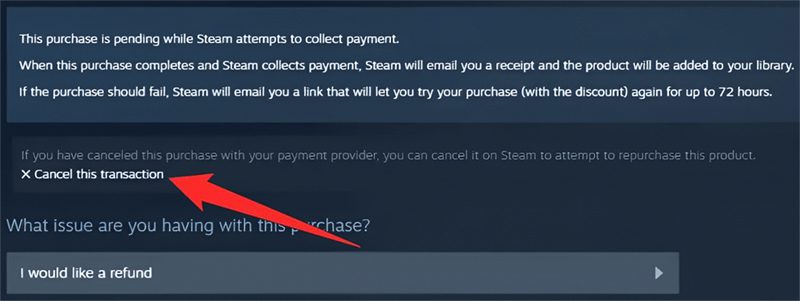
- Select the pending transaction and click on “Cancel this transaction” and then click on “Cancel my purchase”.
Fix 2. Turn OFF VPN or Proxy Server
If you initiate a transaction while VPN or Proxy server is enabled then Steam will reject those transactions.
Hence, turn off your VPN or IP proxy.
Restart your computer and then purchase again.
Fix 3. Contact Steam Customer Support
- If your purchase is still pending, then contact Steam customer support at – https://help.steampowered.com/.
- Select the appropriate category such as: Purchases > I can’t complete my purchase on the Steam Store > Game or other software.
- After that wait for Steam’s response and follow their instructions to fix the problem.
Fix 4. Use Steam Website
- Go to – https://store.steampowered.com/.
- Login to your account.
- Select the game or software that you want to purchase and complete the payment.
Fix 5. Wait, Wait and Try Later
If you are trying to purchase a popular game that just released on Steam, then the transaction may fail because too many users are trying to purchase at once.
In such a case, wait for some time and try again later.
You can wait for 30 minutes, 1 hour, 2 hours, 3 hours, 4 hours and check if the payment went through.
If you have found this article helpful, then please share it as it can help other users!
Please support us by subscribing to our YouTube Channel.
You May Also Like:
- How To Fix Steam “Captcha Not Working” Error
- How To Fix Steam Games Not Launching
- How To Fix Steam Checkout/Purchase Not Working or Not Loading

Max Field is a founder of Recover Android Data. He is an Android lover and loves to write tips, tricks, fixes for errors, data recovery solutions and more related to Android. Provide Gaming Tips, Tricks, Game Error/Issues Solutions (PC/Xbox/PlayStation/Mobile). He is now also interested in solving LinkedIn Puzzles. He has 12+ years of experience in this field.