

In This Article, You Will Learn How To Delete Your Instagram Account Permanently in 2024 on Android or iPhone.
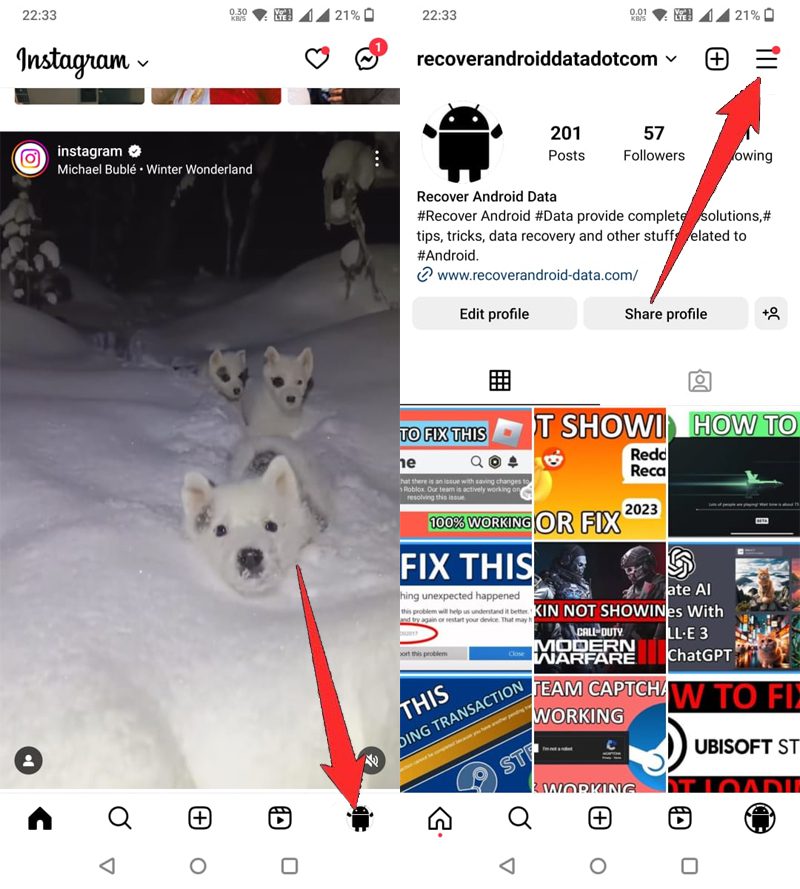
Step 1: Open Instagram App on your phone.
Step 2: Tap on your Profile icon, located at the lower right of the screen.
Step 3: Tap on “3 vertical lines” located at the top right corner of the screen.
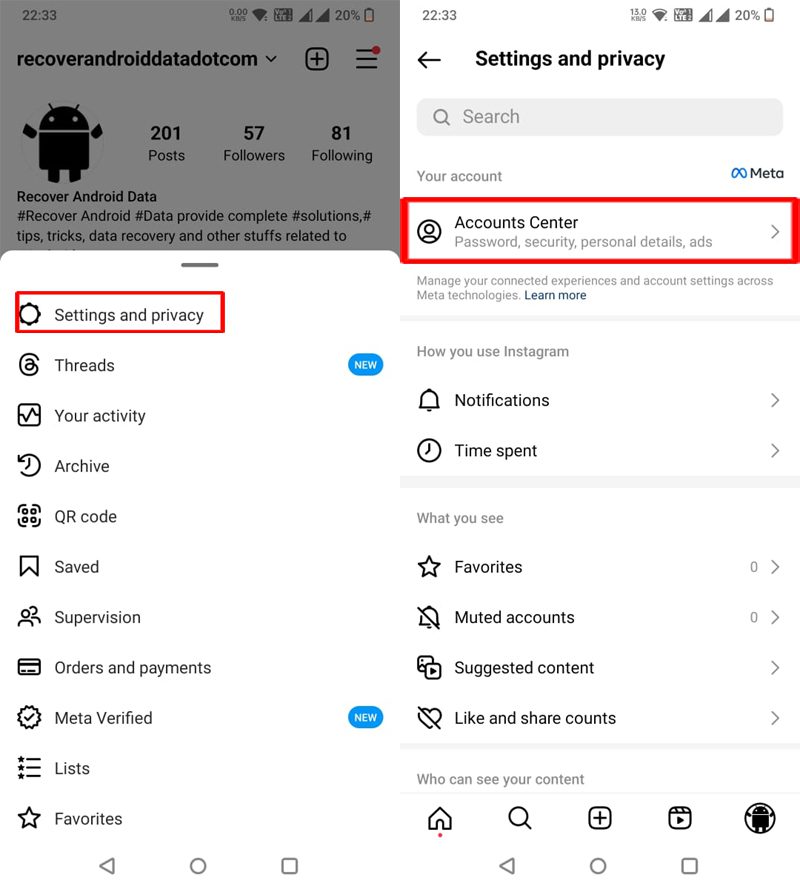
Step 4: Tap on Setting and privacy.
Step 5: Tap on “Account Center”.
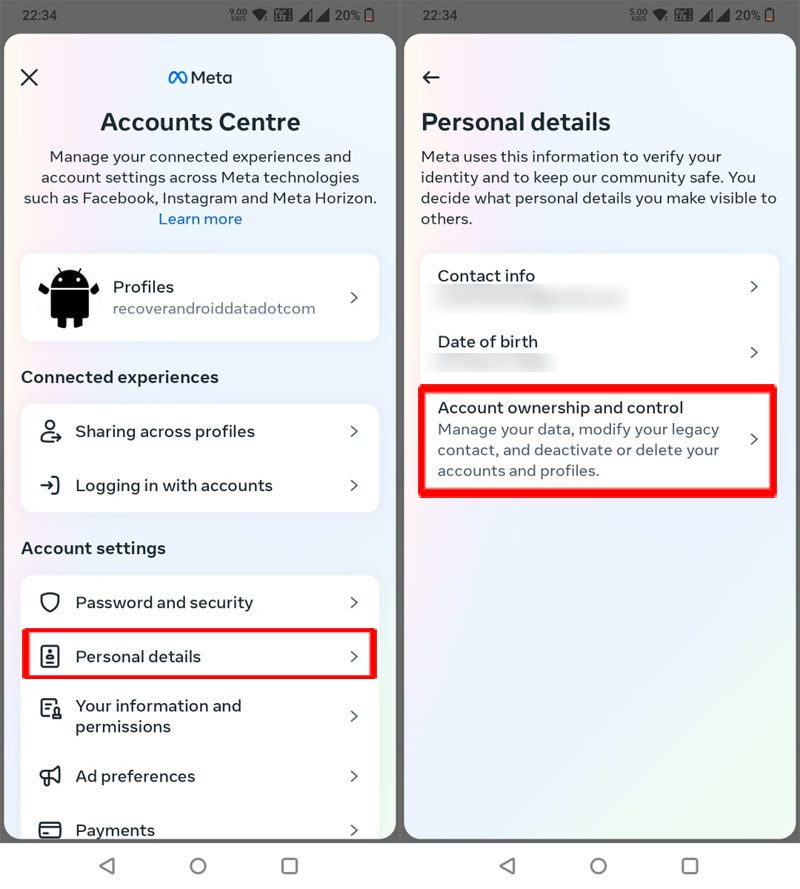
Step 6: Tap on “Personal details”.
Step 7: Tap on Account ownership and control.
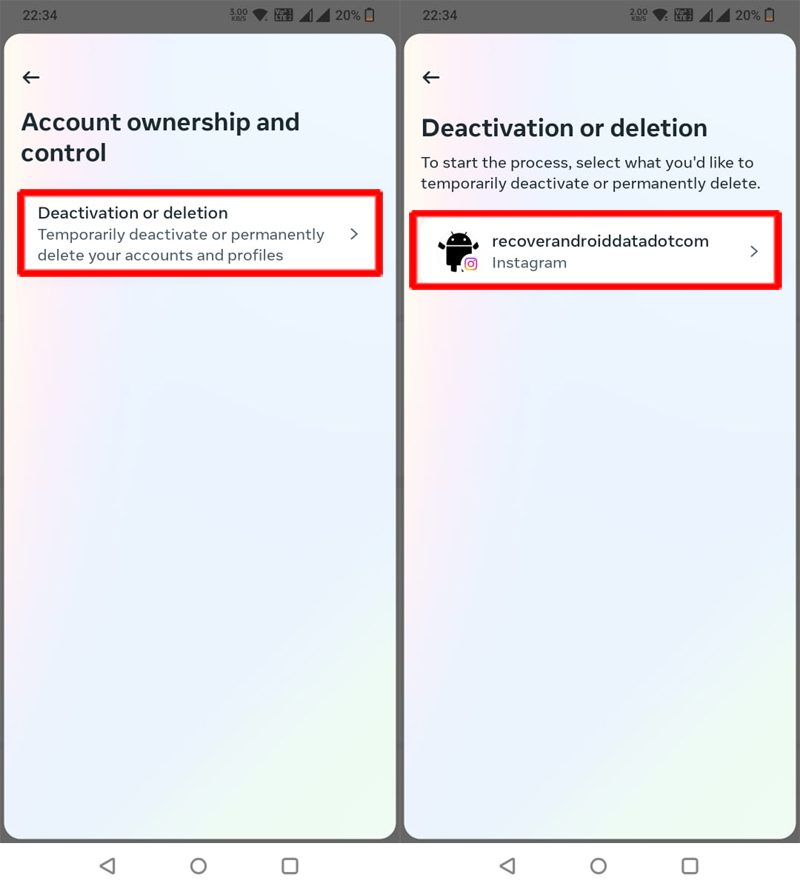
Step 8: Tap on “Deactivation or deletion”.
Step 9: Click on your username, that you want to delete.
Tip: If you want to deactivate your account, then you can select the option “Deactivate account”.
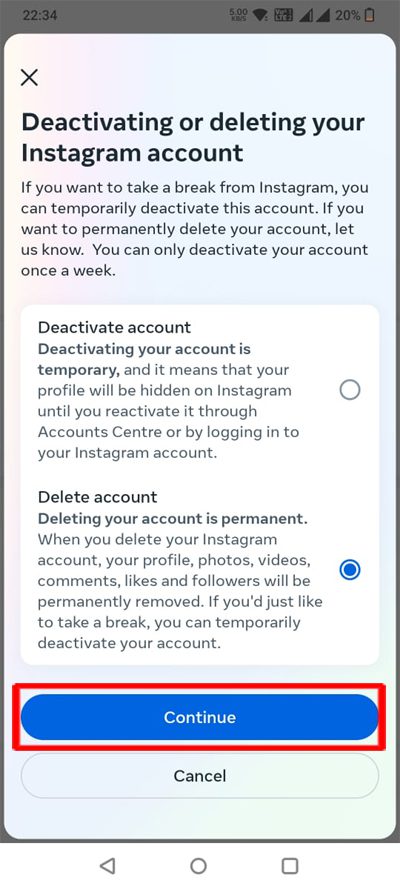
Step 9: This guide is for deleting an Instagram account permanently, so select the second option, that is “Delete account” and then click on “Continue”.
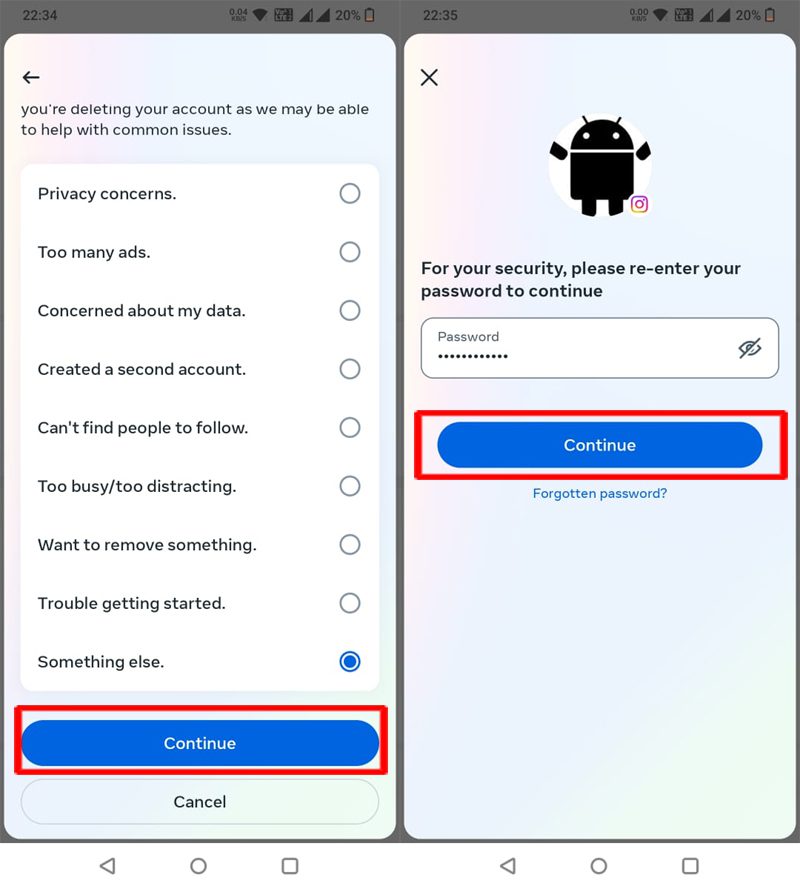
Step 10: Here select the reason – why you want to delete your Instagram account and then click on “Continue”.
Step 11: Now, enter your Instagram password and then click on “Continue”.
Step 12: Finally, click on “Delete Account”.
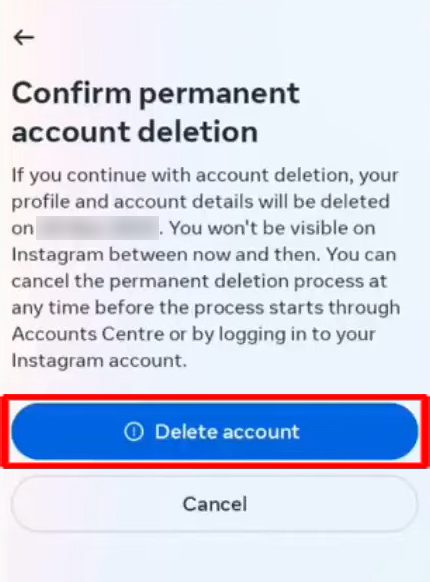
Note: Do not open Instagram app and log in to your account for 1 month, or else the account will not get deleted, instead it will get activated again.
That’s It!
If you have found this article helpful, then please share it as it can help others!
Please support us by subscribing to our YouTube Channel.
You May Also Like:
- 5+ Ways To Fix Instagram Error Code 6296
- Fix Instagram “The audio track in your reel is no longer available”
- Archive Stories Not Showing on Instagram? Here’s The Real Fixes!
- Turn OFF “Suggested For You” Posts On Instagram

Max Field is a founder of Recover Android Data. He is an Android lover and loves to write tips, tricks, fixes for errors, data recovery solutions and more related to Android. Provide Gaming Tips, Tricks, Game Error/Issues Solutions (PC/Xbox/PlayStation/Mobile). He is now also interested in solving LinkedIn Puzzles. He has 12+ years of experience in this field.