

WhatsApp has brought a new feature called “Channel”.
It allows people, companies, or organizations to create WhatsApp channel and provide a way to get updates on the platform from their favorite channel.
Whether you want to stay updated with your favorite sportsperson or want to get the latest updates from your local officials, WhatsApp channels are the best way to do so without disclosing your phone number to the admins or other followers.
So, in this guide, you will learn how to find and follow WhatsApp channels.
Also Read: How To Fix WhatsApp Not Connecting
How To Find Interesting/Favorite Channels on WhatsApp
WhatsApp has started its channel feature in June 2023. And today, there are a large number of channels that you can follow on WhatsApp.
Here are the steps to discover your favorite or interesting channels:
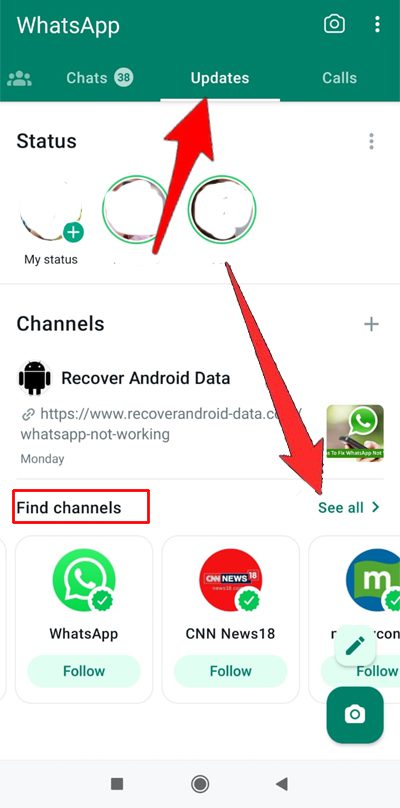
Step 1: Open WhatsApp on your phone and go to “Updates” tab.
Step 2: Under the Channels section, tap on ‘See All” next to Find channels.
If you have not followed any channels earlier, then tap on “Find Channels” button located at the bottom.
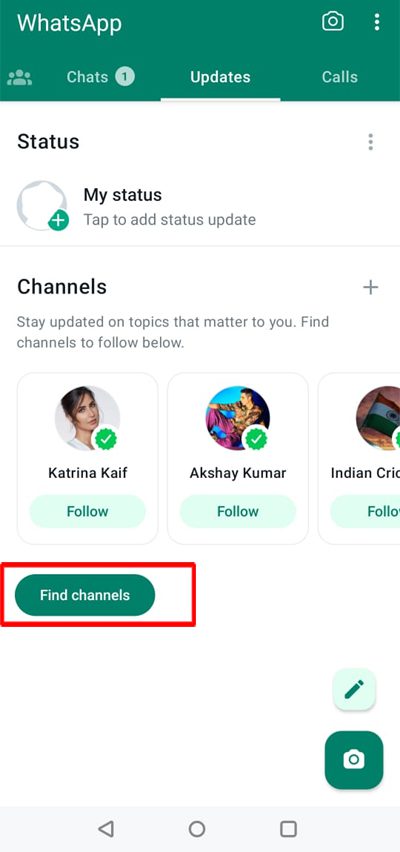
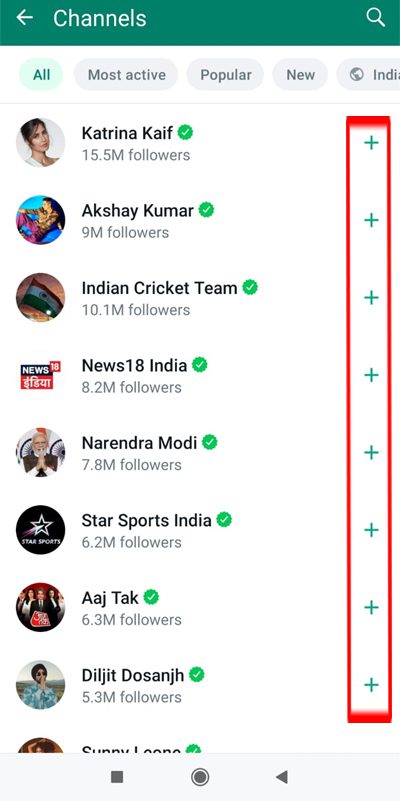
WhatsApp will then take you to a dedicated page where you can see the list of channels that you can follow.
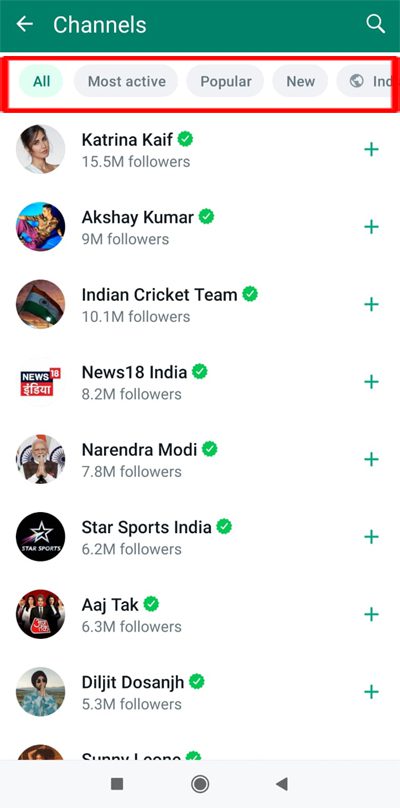
Step 3: Browse through the list and find your interesting channels.
There are different tabs available that you can go through to discover channel list. Those tabs are as follows – “All”, “Most Active”, “Popular”, “New” and “By Region – that is by country”.
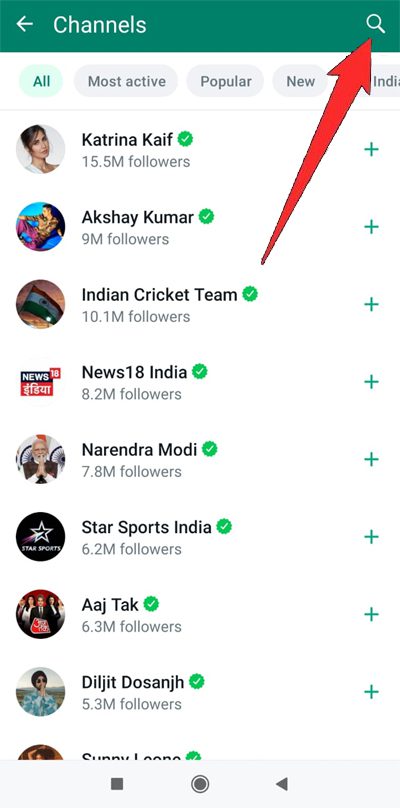
Alternatively, you can also use the Search feature at the top to find your favorite channels.
Besides using the in-built search feature to discover WhatsApp channels, you can also get invite links from enterprises, person, and websites on their social media.
You should not rely only on WhatsApp’s search directory to find channels. It is because WhatsApp has given access to admins to decide whether their channel should be discoverable in the directory or not.
Also Read: Is Your WhatsApp Not Working? Here What You Need To Do!
How To Follow a Channel On WhatsApp
After you have discovered your interesting or favorite channel On WhatsApp, you can follow it to get latest updates from it.
Here are the steps to follow WhatsApp channel:
Step 1: Open WhatsApp, and go to “Updates” tab.
Step 2: Under Channel section, tap on “See All” option next to Find Channel or tap on “Find Channels” button.
Step 3: Now find a channel that you like to stay up-to-date with and then tap on “+” plus icon next to it to follow it.
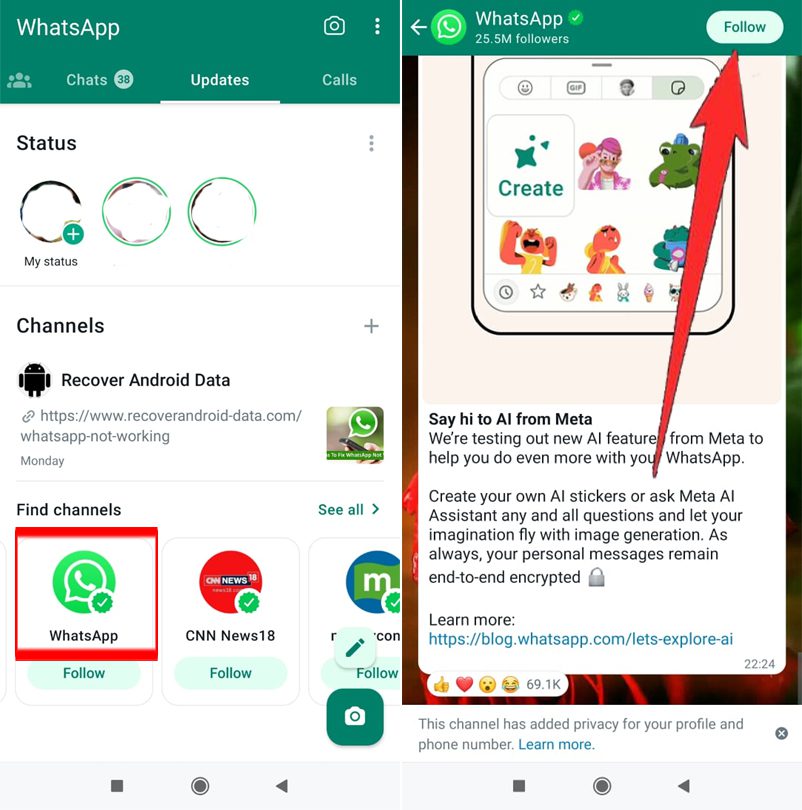
Alternatively, you can also tap on the channel name to preview its update first, then tap on “Follow” located at the top right.
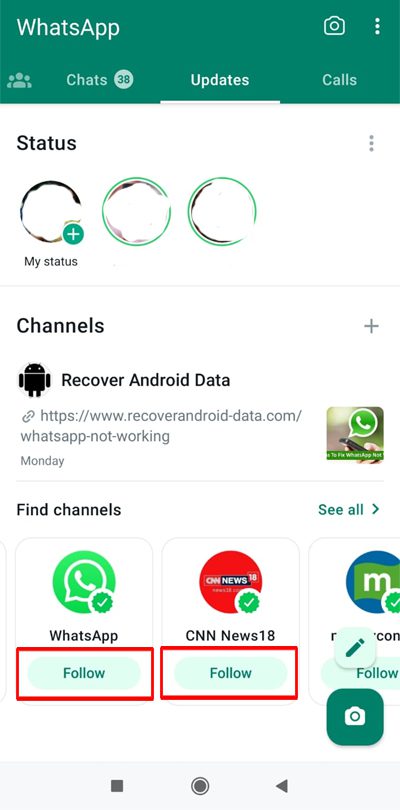
Or while you are on the Updates tab, if you see your favorite channel that you’d like to follow which is recommended under Channels, then simply tap on the Follow button.
Also Read: [Android] Recover Deleted WhatsApp Messages Without Backup
How To Unfollow a Channel On WhatsApp
Due to WhatsApp popularity, you may find yourself flooded with messages if you are following too many channels.
In order to get rid of this, you may mute a channel or unfollow it.
If you wish to unfollow the channel on WhatsApp, then here follow the steps to do so.
Step 1: Go to Updates tab on WhatsApp.
Step 2: Now select the channel that you wish to unfollow from your list.
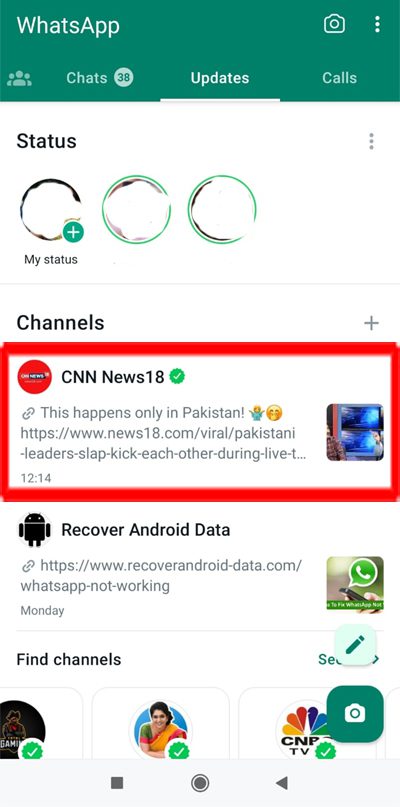
Step 3: Tap on 3 vertical dots and then tap on “Unfollow” option.
Step 4: Again, tap on Unfollow to confirm.
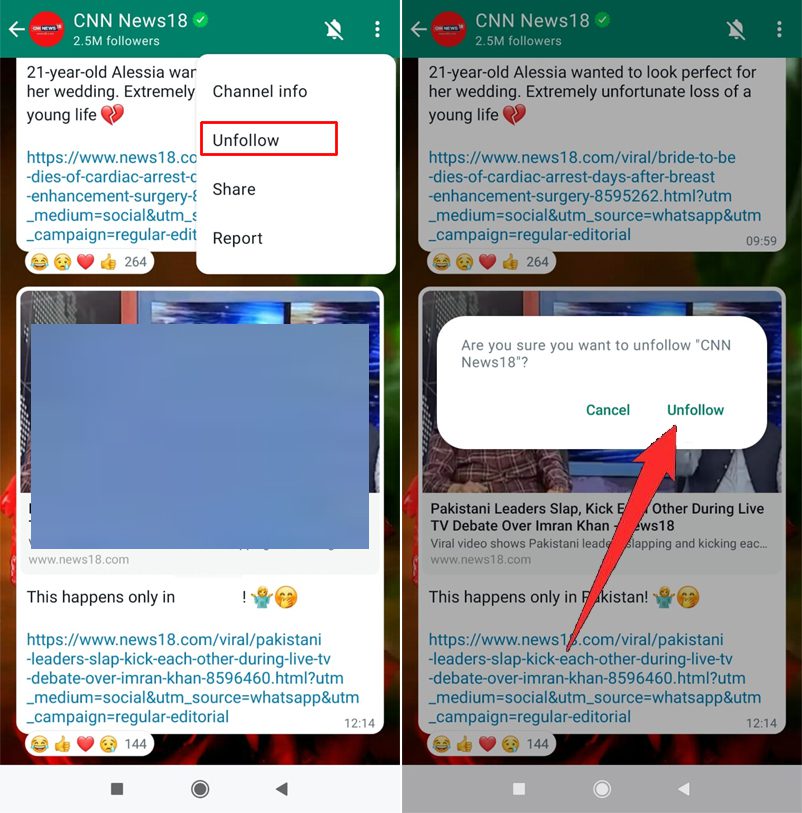
This is how you can instantly unfollow the channel and you will no longer receive any updates from them and you will not see it in your list in the channel in the Updates tab.
Wrap Up
So, that was all about how you can find, discover and follow your favorite or interesting channels on WhatsApp.
If you have found this guide helpful, then please share it, as it can help others!
Please support us by subscribing to our YouTube Channel.
You May Also Like:
- How To Use ChatGPT In WhatsApp
- How To Create a WhatsApp Channel (Guide With Images)
- How To Fix Link Is Not Clickable In WhatsApp
- How To Fix WhatsApp Web Copy Paste Text Not Working

Max Field is a founder of Recover Android Data. He is an Android lover and loves to write tips, tricks, fixes for errors, data recovery solutions and more related to Android. Provide Gaming Tips, Tricks, Game Error/Issues Solutions (PC/Xbox/PlayStation/Mobile). He is now also interested in solving LinkedIn Puzzles. He has 12+ years of experience in this field.