
In This Guide, You Will Learn How To Change Household on Netflix or How To Update/Manage Household on Netflix.
Steps To Change or Update Household on Netflix
Step 1: On your TV, Open Netflix, select your Profile and continue.
Step 2: Navigate to your Profile and from the drop-down option, select “Get Help”.
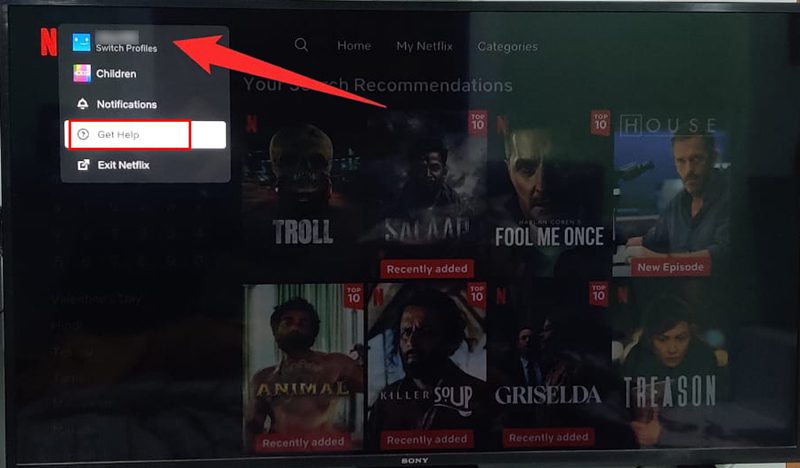
Step 3: Now, scroll down and click on “Manage Netflix Household”.
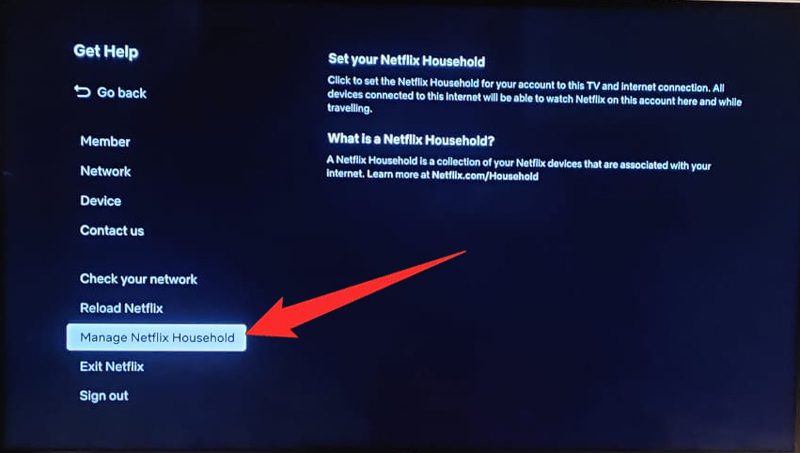
Step 4: Click on “Update My Netflix Household” and select the option for verification.
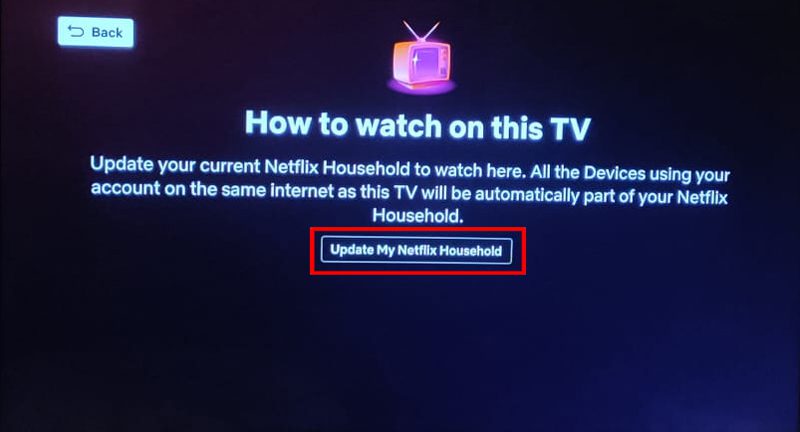
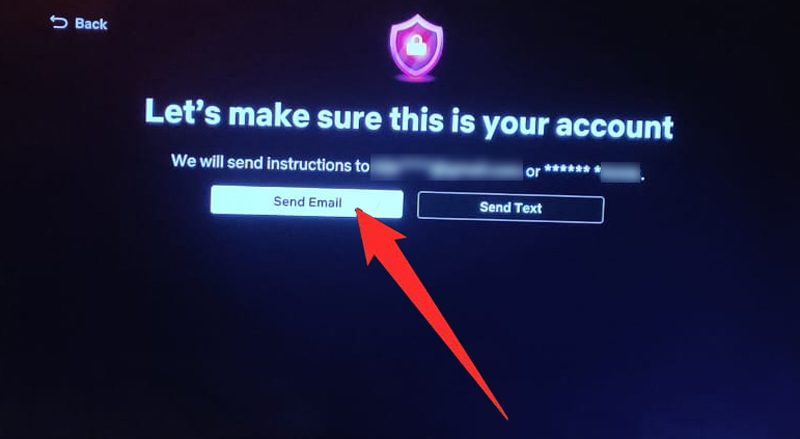
Step 5: We select “Send Email” option.
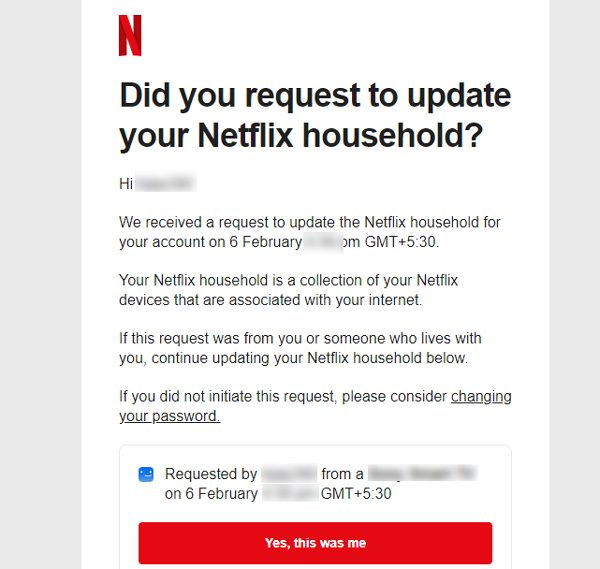
Step 6: Now, open your email and click on “Yes, this was me”.
Step 7: Click on “Update Netflix Household”.
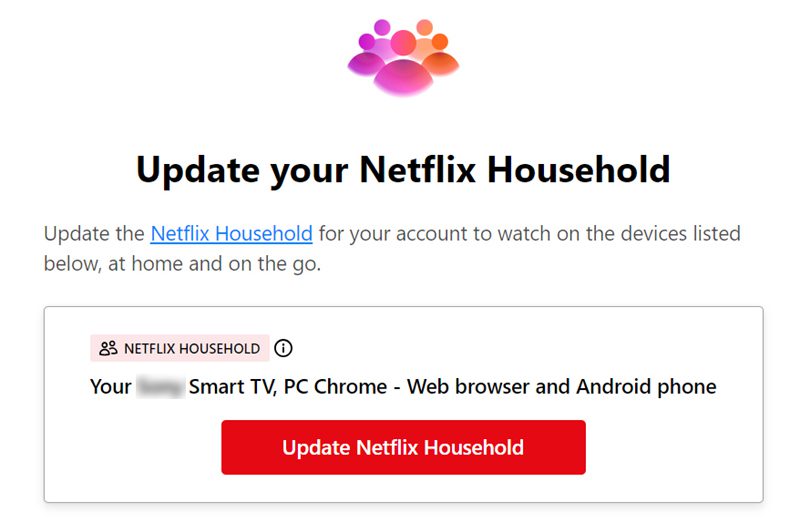
That’s It. In this way, you can change/update Household on Netflix.
If you have found this guide helpful, then please share it, as it can help others!
Please support us by subscribing to our YouTube Channel.
You May Also Like:
- Fix Netflix Error Tvq-000, Tvq-St-146, Tvq-St-142, Tvq-St-128, Tvq-St-122 and Tvq-St-115
- GTA San Andreas Netflix All Cheat Codes and How To Use Them
- How To Fix Netflix Not Working On Smart TV
- How To Fix Apollo Group TV Not Loading Or Not Working

Max Field is a founder of Recover Android Data. He is an Android lover and loves to write tips, tricks, fixes for errors, data recovery solutions and more related to Android. Provide Gaming Tips, Tricks, Game Error/Issues Solutions (PC/Xbox/PlayStation/Mobile). He is now also interested in solving LinkedIn Puzzles. He has 12+ years of experience in this field.