

Roblox is a popular game with lots of features that allow players to play millions of games and connect with friends under one roof.
The game has a restriction feature that allows guardian or parents to keep their kids away from any kind of unsuitable content in the game.
Parents, users or players can add a 4-digit PIN to lock their Roblox account. This PIN will be required if you want to change any Settings in your Roblox account.
After adding PIN, you can change or remove it, only if you remember it.
But what if you have forgotten the PIN and you are looking to reset it?
Well, in this article, we will show you how to reset PIN on Roblox without PIN.
What To Do When You Forgot Roblox PIN?
The parents, players or users must remember their PIN if they want to change the settings in their Roblox account.
There is no option to manually reset it if you forget it.
However, if you have forgotten your account PIN, then the only way to recover it is by contacting the Roblox support team.
How To Reset Roblox PIN
In order to reset Roblox PIN, you have to contact Roblox customer support by submitting the support form. They will help you in resetting your PIN.
Here are the steps to reset your forgotten Roblox PIN:
Step 1: Go to the Roblox Support Page and log into your account.
Step 2: Enter your personal details – username, full name, email address and confirm it.
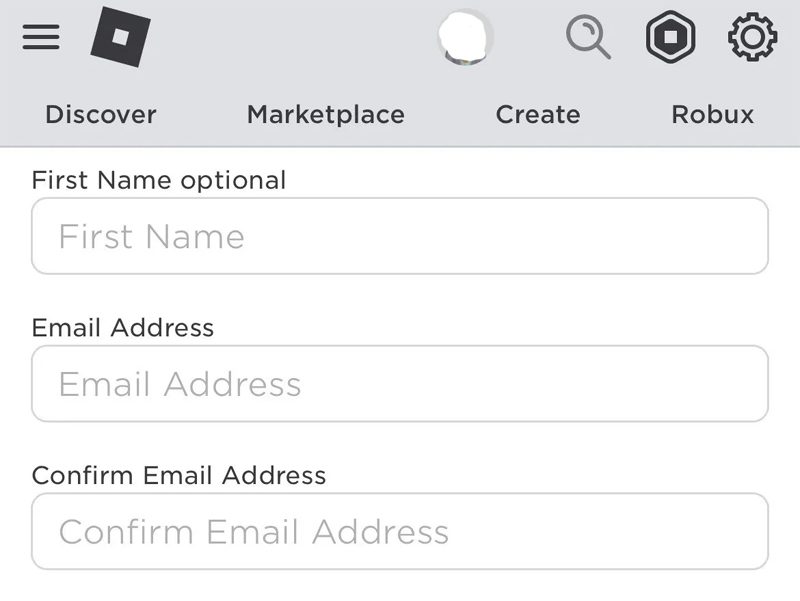
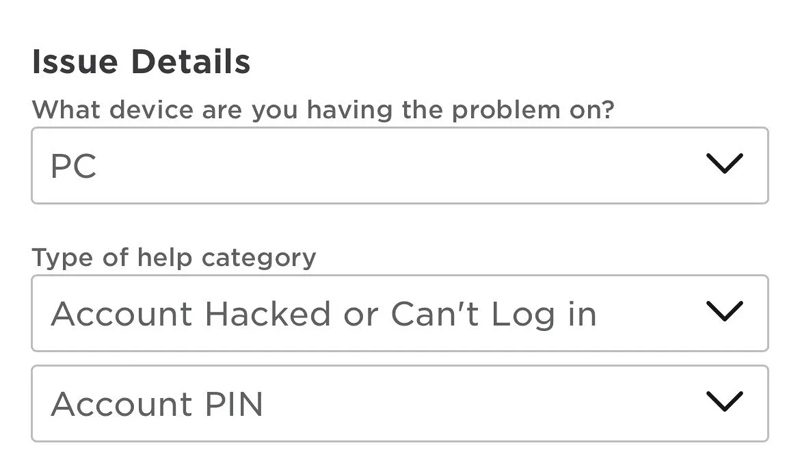
Step 3: Next, select the device on which you want to change PIN.
Step 4: In the help category, select “Account Hacked or Can’t Log in” and in the subcategory select “Account PIN”.
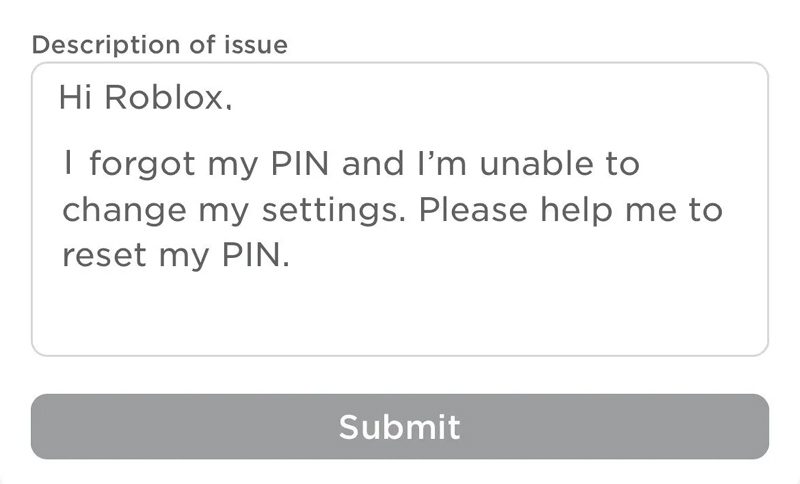
Step 5: In the description of issue, explain that you have forgotten your PIN and you want to reset it.
Step 6: After describing your issue, click on “Submit”.
Now, you have to wait for the reply from Roblox support. Usually, they respond within 24-48 hours. They will provide instructions on how you can reset the PIN. Just follow their instructions.
Important Note: The customer support team might request more information to confirm that they are communicating with the parent or guardian. If you don’t have a parent/guardian, then you have to mention that in the form.
Wrap Up
Remember, that Roblox does not offer the facility to reset PIN if you have forgotten it. You need to contact Roblox customer support by submitting the support form. The steps are mentioned in the article on how to reset Roblox PIN when forgotten.
If you have found this article helpful, then please share it as it can help others!
Please support us by subscribing to our YouTube Channel.
You May Also Like:
- How To Get Unsuspended From Roblox Voice Chat
- How To Fix Roblox Keeps Crashing On Android
- 6 Ways To Fix An Error Occurred and Roblox Cannot Continue

Max Field is a founder of Recover Android Data. He is an Android lover and loves to write tips, tricks, fixes for errors, data recovery solutions and more related to Android. Provide Gaming Tips, Tricks, Game Error/Issues Solutions (PC/Xbox/PlayStation/Mobile). He is now also interested in solving LinkedIn Puzzles. He has 12+ years of experience in this field.