

Find Out Simple Steps To Delete Grindr Account On Android, iPhone or Via Support Ticket!
Overview: If you no longer want to have an account on Grindr, no matter whatever may be the reasons, you can easily and permanently delete your Grindr account.
Let me tell you that uninstalling the app does not terminate your account, hence it is recommended that you first delete your Grindr account and then uninstall the app from your phone.
The steps are easy but it slightly differs on Android and iPhone. Anyway, find out the step-by-step guide to delete Grindr account.
Things To Remember Before You Delete Your Grindr Profile
- You must cancel any active subscription, if you have purchased one. Because deleting the profile/account, uninstalling the app doesn’t cancel your subscription.
- If you wish to keep back up of your Grindr account data, then take a backup before deleting your profile. Once you delete your profile, your data (photos, chats, bio, etc) will also get deleted and it can’t be recovered later.
Also Read: How To Fix Grindr App Not Working (Crashing/Not Loading)
Steps To Delete Grindr Account On Android
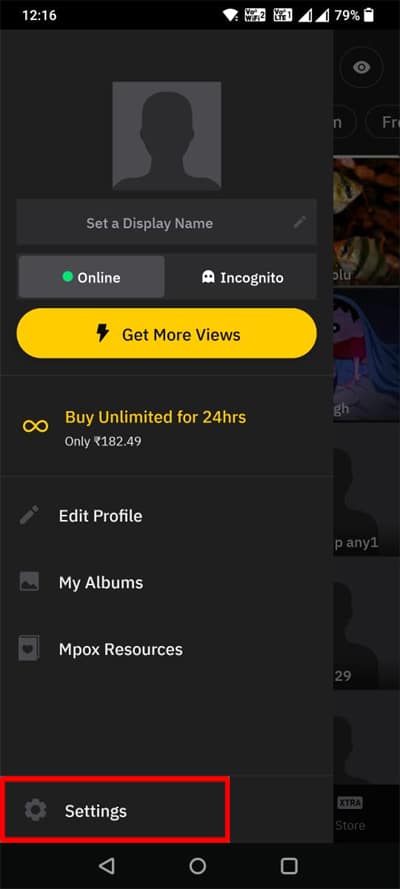
Step 1: Open Grindr app and tap on your Profile icon.
Step 2: Tap on Settings.
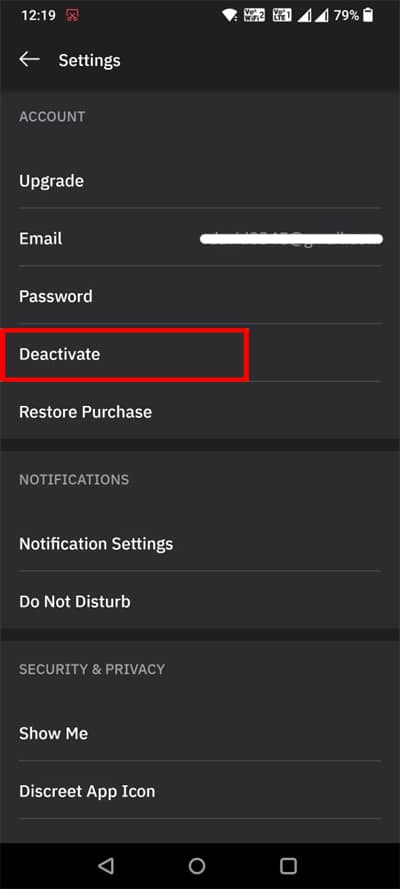
Step 3: Tap on Deactivate.
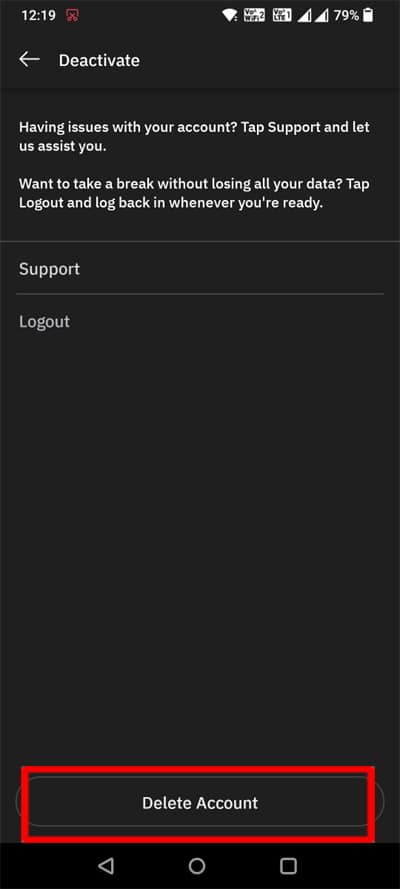
Step 4: Tap on Delete Account.
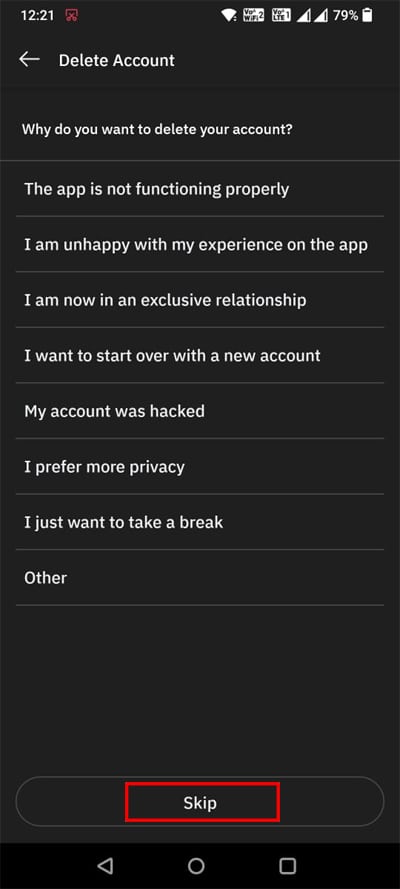
Step 5: You can select the reason for deleting your account or you can tap Skip.
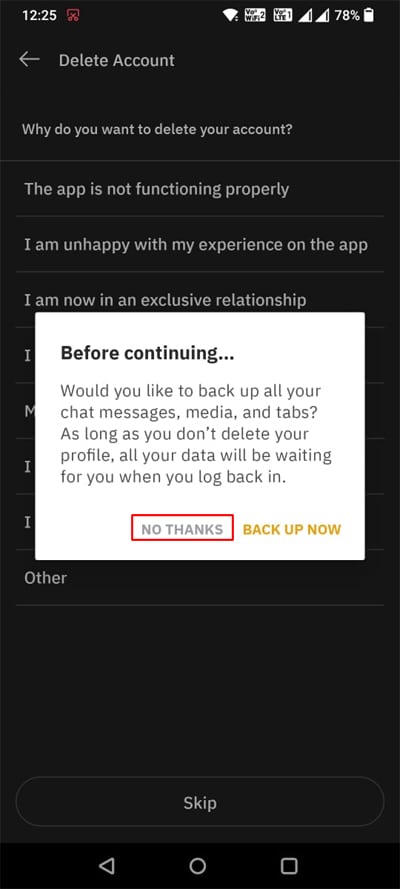
Step 6: A Pop-up will appear asking you to backup your data, before deleting the account. It is up to you, whether you want to back up your data or not. If you want to backup, then tap on “BACK UP NOW” or tap on “NO THANKS”. Since we are here for deleting account, tap on NO THANKS.
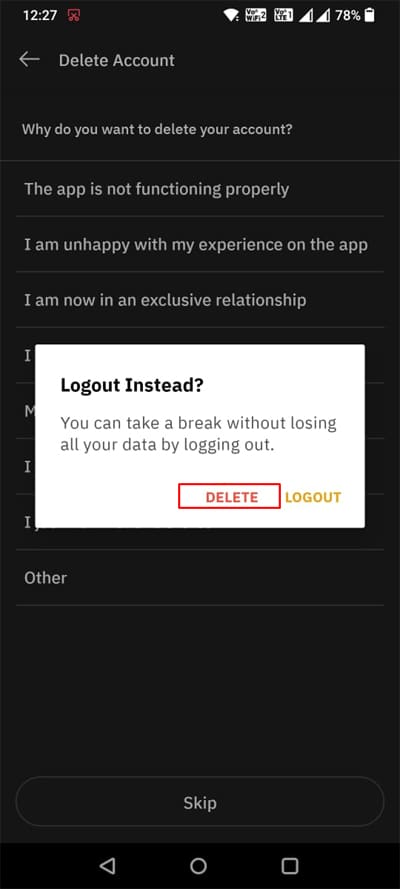
Step 7: Next, the app will tell you to “Logout Instead” to take a break. But we are here to delete the account. So, simply tap on “DELETE”.
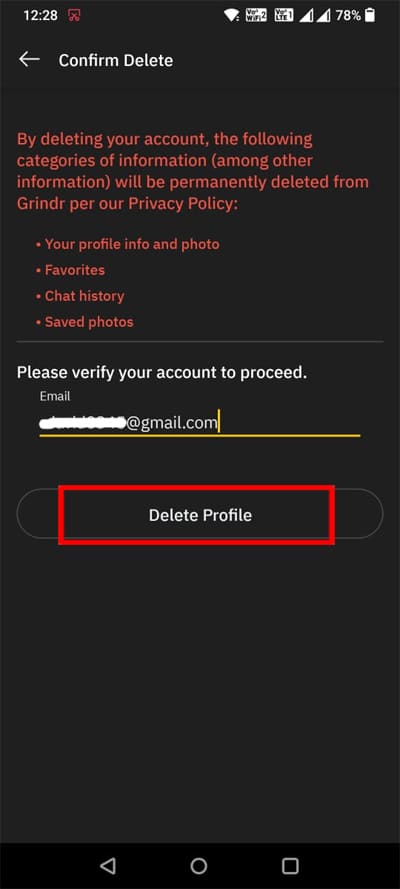
Step 8: Enter your email id and tap on “Delete Profile”.
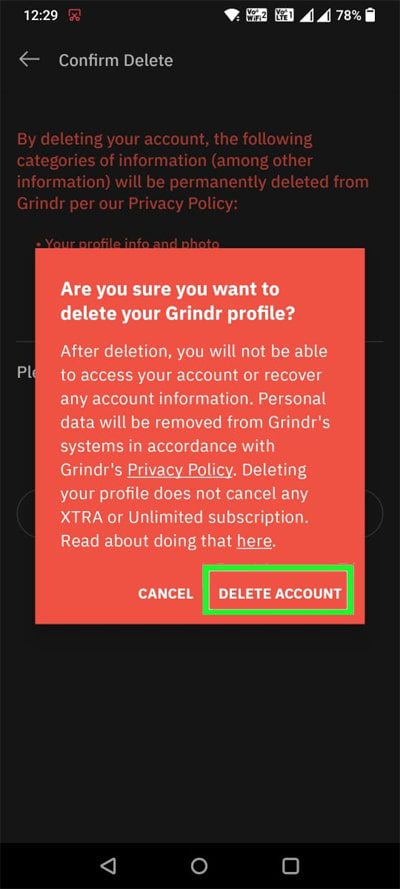
Step 9: The app will ask you – Are you sure you want to delete your Grindr profile? Simply, tap on “Delete Account” to delete your account.
That’s It! Isn’t so easy.
Steps To Delete Grindr Account On iOS (iPhone/iPad)
Step 1: Open Grindr app and tap on your Profile icon.
Step 2: Tap on Settings.
Step 3: Under Reset section, tap on Delete Profile.
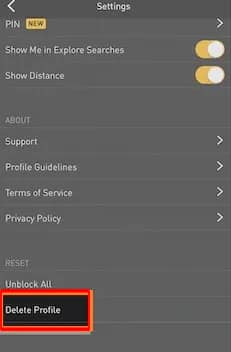
Step 4: You can select the reason for deleting your account or you can tap Skip.
Step 5: Enter your email address associated with the account and then tap on Delete Profile, to delete your account permanently from the platform.
Steps To Delete Grindr Account Online Via Support Ticket
There is also another way to delete your Grindr account online without app. You can visit the official Grindr website and visit their Support page and request to delete the account by submitting a ticket to the Support team.
Here how to do that:
Step 1: Go to Grindr Support Page on any web browser on your mobile or Desktop.
Step 2: Click on “Get in Touch” to submit the request.
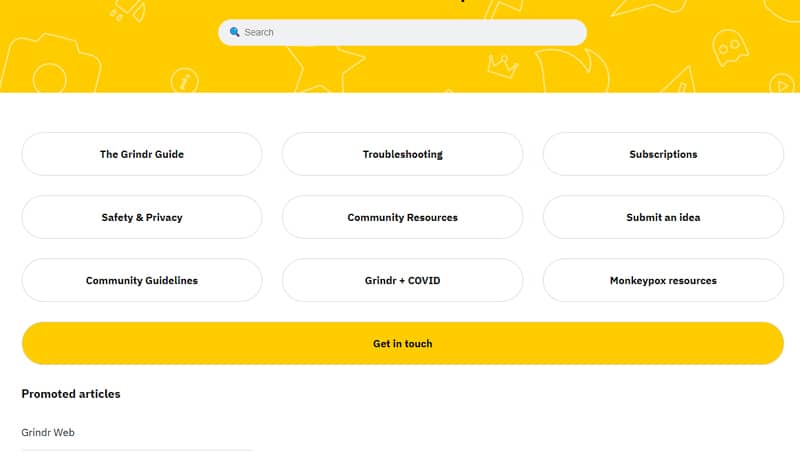
Step 3: From the drop-down, select the option “I need help managing my account”.
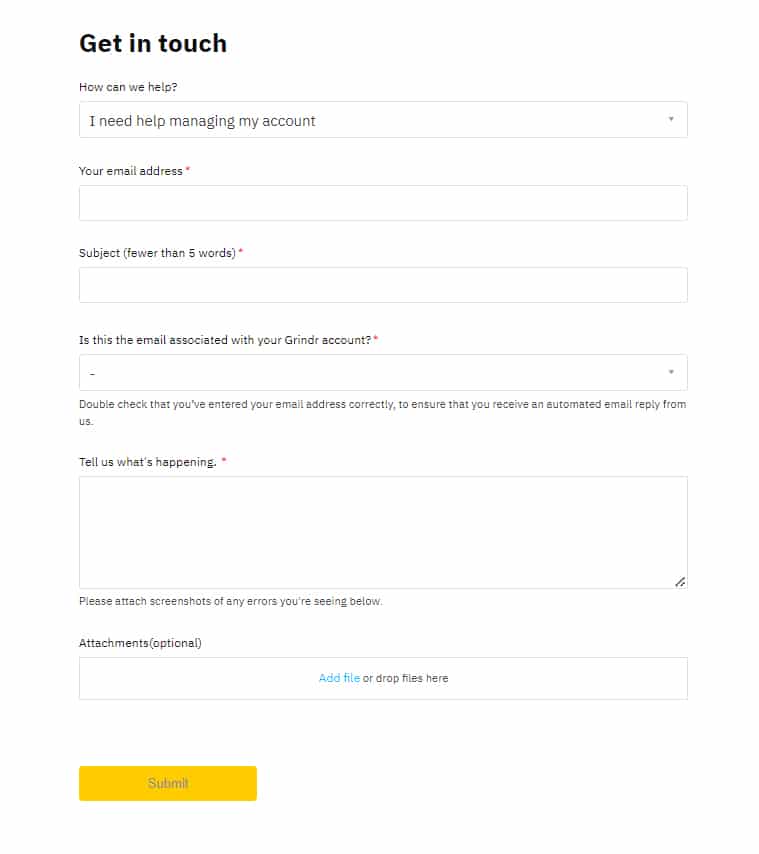
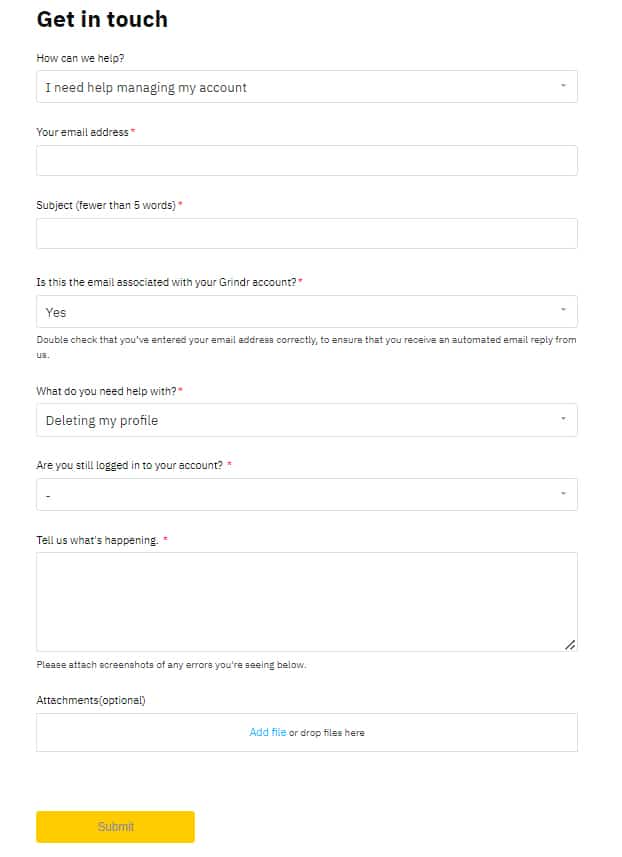
Step 4: Now fill up the form. Enter your email address registered with the Grindr account.
Step 5: Under Is this the email associated with your Grindr account?, select “Yes”.
Step 6: Under What do you need help with?, select Deleting my profile and fill in all the detail as per your need.
Step 7: Finally, click on “Submit” button.
The Grindr support team will contact you within a few working days for the deletion request.
Also Read: How To Fix WhatsApp Not Connecting
Frequently Asked Questions (FAQs)
Answer: If you can’t delete your Grindr account, then please check the followings:
Answer 2: When you delete account, then the following data also get deleted and it’s permanent, if you have not created backup. Also, if you want to delete the chat log, then you have to first block the person and then you can proceed with account deletion.
Answer 3: Yes, your profile disappears when you delete your account from the platform. Your profile will no longer be seen or visible to others.
Answer 4: Unfortunately, No. Once a profile is deleted from the platform, it cannot be recovered as it is a permanent action. Instead, you can create a new account, using the same email id. If you are premium user, you can create a new account and you can get back your purchases, but all other data and chats will be gone.
Wrap Up
So, that’s all! You can follow the simple steps mentioned in the article to delete Grindr account on Android or iPhone. Alternatively, you can also submit a ticket to Grindr support team for deleting your account.
If you have found this article, helpful and useful then do share it, as it can help other users!
You May Also Like:
- How To Fix Messenger Bubble/Chat Head Not Showing
- Fix Instagram Reels Not Working On Android/iPhone
- TikTok Not Uploading Videos – Fix It Now!
- How To Search Someone On OnlyFans

Max Field is a founder of Recover Android Data. He is an Android lover and loves to write tips, tricks, fixes for errors, data recovery solutions and more related to Android. Provide Gaming Tips, Tricks, Game Error/Issues Solutions (PC/Xbox/PlayStation/Mobile). He is now also interested in solving LinkedIn Puzzles. He has 12+ years of experience in this field.