
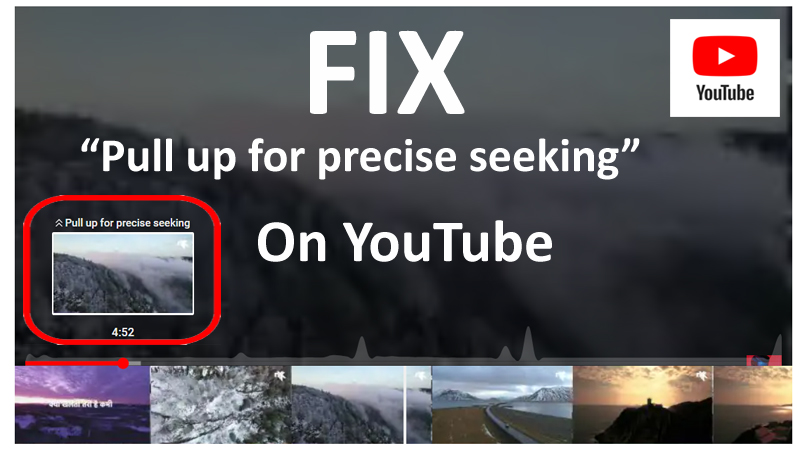
Find Out The Steps To Fix Pull Up For Precise Seeking In YouTube!
Overview: Are you getting “Pull up for precise seeking” while watching video on YouTube? Want to know what is YouTube pull up for precise seeking and how to get rid of it? If “Yes”, then this post is for you. In this article, you will know – What is pull up for precise seeking on YouTube and how to fix it?
Let’s begin with the real user practical scenarios!
Many users have reported about YouTube precise seeking issues on Twitter, Reddit, Google official’s YouTube Community and other several community and forums websites.
Practical Scenario 1: A User Is Not Able To Make Video Into Full Screen Due To YouTube Pull For Precise Seking
Hello is it a bug or just some new feature of youtube where this sentence shown the video is dark and I cannot make it into fullscreen. Can someone help me to turn it off Source: YouTube Help
Practical Scenario 2: A User Looking To Get Rid Of YouTube Pull Up For Precise Seeking
Thing called Precise seeking has been active when ever i view videos, but only when im signed in and cant find a setting to turn it off anywhere or even any info on google, basicly when i click the progress bar to skip ahead in the video it will pop up a line of pictures and pause the video almost like somthing youd get on a mobile and its doing my head in, any help getting rid of it would be great (pic attached) Source: Reddit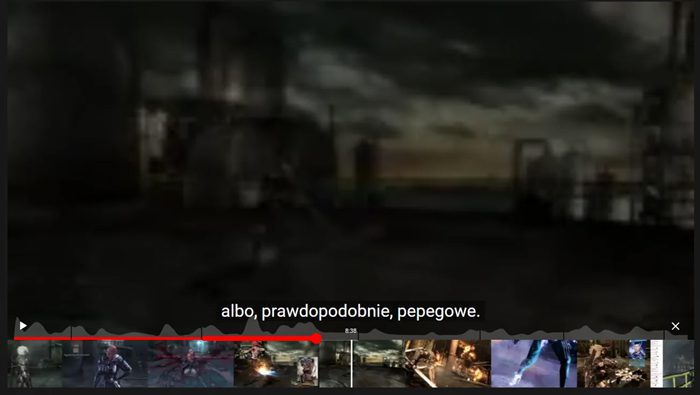
So, that was just two examples! Similarly, there are several users out there reporting about this specific problem.
Also Read: What Is YouTube Live Dashboard? The Guide For YouTuber
What Is YouTube Pull Up For Precise Seeking?
Precise seeking is a new feature of YouTube that allows you to skip to particular moments in a video.
Instead of dragging the video progress bar, which is actually a difficult task if you wish to skip to a specific moment with exact precision, precise seeking shows you the preview of all the moments with the strip of thumbnails, so that you can accurately skip to a specific moment in a video.
That strip of thumbnails, allows you to move from one frame to another, second by second so that you can easily navigate and find your favorite moment. And when you find that moment, tap on “Play” button to view/watch the video from that moment onwards.
Here watch the video to understand it more clearly.
Video: Use precise seeking to find a specific moment in a video ft. Lyanna Kea
Video Source: YouTube Viewers
Also Read: Global | How To Fix YouTube Keeps Crashing On Android
How To Fix “Pull up for precise seeking” on YouTube
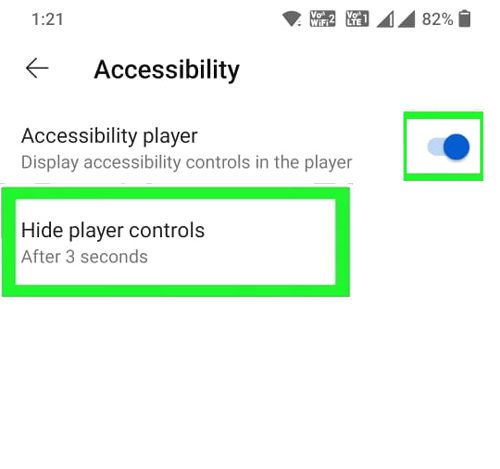
Whether you are watching the YouTube video on Android phone, iPad/iPhone or on Computer, to fix pull up for precise seeking on YouTube, you have to enable the “Accessibility player” under in YouTube Settings and set the “Hide Player controls” after 3 seconds.
Here follow the steps to do so:
Step 1: Open YouTube app.
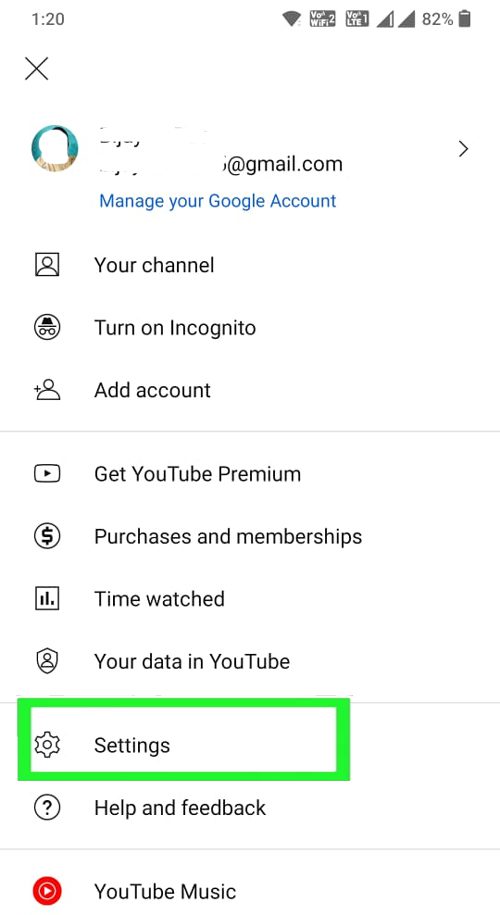
Step 2: Tap on your Profile Picture and go to Settings.
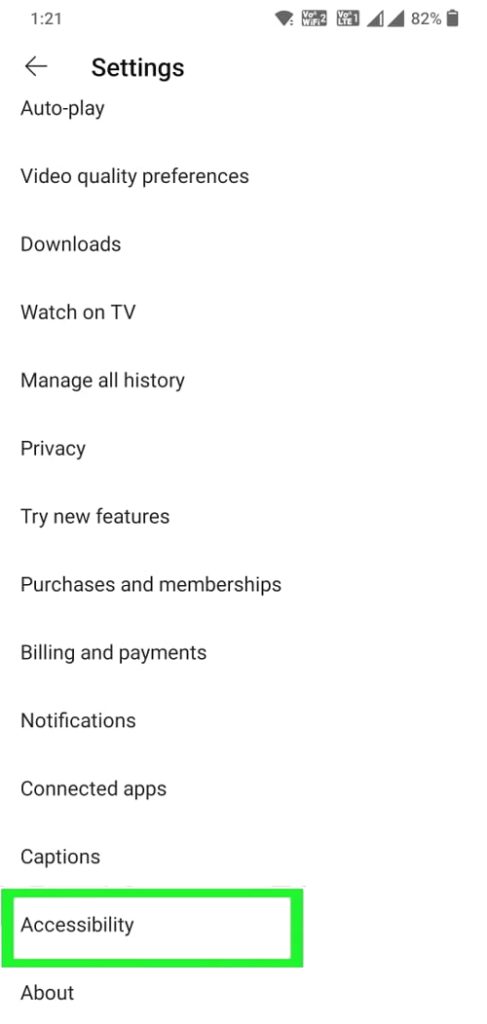
Step 3: Scroll down and tap on Accessibility.
Step 4: Next to Accessibility Player, toggle the button to ON position.
Step 5: Tap on Hide player controls and then select After 3 seconds.
Step 6: Now close the YouTube app and restart it and see if it fixes the issue.
Instead of 3 seconds, you can also select “After 5,10 or 30 seconds.
Now, you can skip to a certain part of the video and no pop-up of precise seeking mode will appear.
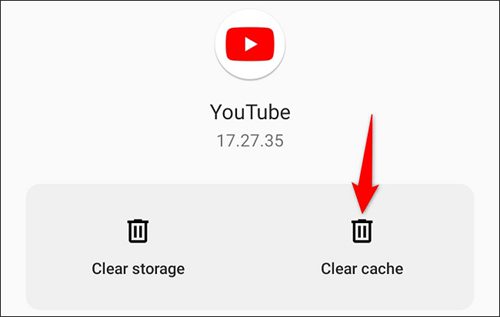
If yet issue is not solved then clear cache of the YouTube app and then check.
To clear the cache, go to Settings > Apps > YouTube > Storage & cache > Clear cache.
If still the issue is not solved, then there could be some bugs or glitches in YouTube. In such case, you have to just wait until the bug/glitch is fixed by the YouTube Team.
Also Read: How To Fix YouTube Music App Keeps Pausing
More Solutions To Fix YouTube Pull Up For Precise Seeking
Right-click on the video and then click on “Troubleshoot playback issue”. Next, you have to send anything like “Turn off the Precise seeking feature”. That would help to get rid of the issue.
Select the seeking bar and immediately press the spacebar. After this, the video will start to play.
When you encounter pull for precise seeking on YouTube then another simple trick that would help to get rid of is that you simply need to drag the timeline downward.
It also looks like that, this problem is an account-based bug. So, to avoid the issue, simply log out of your YouTube account and then watch the video.
Wrap Up
The precise seeking issue on YouTube has affected many users globally. And thereby, users are not able to watch videos on the platform.
But I hope by following the above-mentioned solutions and their steps might have helped you to fix pull up for precise seeking on YouTube.
If you have found this article helpful and useful, then please share it as it can help others!
Please support us by subscribing to our YouTube Channel.
You May Also Like:
- How Do I Play YouTube Music In Background Without Premium?
- [Fixed] “Unfortunately, YouTube Has Stopped” On Android
- [Fixed]: YouTube Vanced “Following Content Is Not Available”
- YouTube Reused Content and How to Avoid Duplication

Max Field is a founder of Recover Android Data. He is an Android lover and loves to write tips, tricks, fixes for errors, data recovery solutions and more related to Android. Provide Gaming Tips, Tricks, Game Error/Issues Solutions (PC/Xbox/PlayStation/Mobile). He is now also interested in solving LinkedIn Puzzles. He has 12+ years of experience in this field.