Bubbles At The Fold In Screen On Galaxy Fold 4/3/2 – Things To Do!

How To Remove Bubbles Near InThe Middle of The Screen On Galaxy Fold Phone

How To Remove Bubbles Near InThe Middle of The Screen On Galaxy Fold Phone

For several Galaxy Fold users, it doesn’t matter whether they are using Fold 4, 3 or 2. They are complaining that bubbles started to occur on the screen at the fold/crease after the extended use of Flex Mode.

Many users have been reporting on different community and forum sites that there are bubbles under the screen protector in the middle of the screen.

Read more

[Solved] HBO Max Stuck On Loading Screen

How To Fix HBO Max Not Loading

How To Fix HBO Max Not Loading

Learn How To Fix HBO Max Stuck On Loading Screen On Android, iPhone/iPad, Samsung TV, LG TV or Apple TV & Browsers!

Well, HBO Max is one of the best streaming platforms all over the world right now and many people often use it in their day-to-day life to watch their favorite movies and shows. But sometimes it causes some issues.

Read more

How To Fix Oops! Google Translate Did Not Respond

Fix Google Translate Did Not Respond

Fix Google Translate Did Not Respond

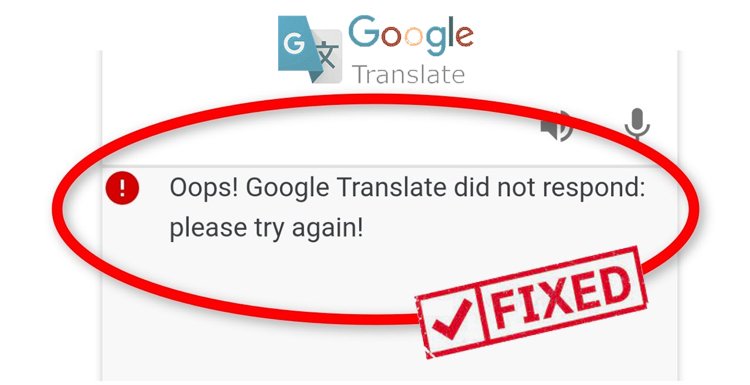
Well, Google translate tool helps us to translate any language to our preferred language. But sometimes it is having issues and it did not respond.

This issue gets quite annoying and disturbing, because whenever you try to translate anything, it keeps popping up a “please try again” message.

Read more

How To Retrieve Deleted Call Logs On Samsung Phone

How To Recover Deleted Call Logs On Samsung Phone

How To Recover Deleted Call Logs On Samsung Phone

Well, if you have accidentally deleted call logs on your Samsung phone and you don’t know how to rescue them?

Don’t worry! In this article, we provided solutions to effectively retrieve the deleted call logs on Samsung phones. You can follow the mentioned solutions and rescue it easily.

Read more

How To See/Find Wifi Passwords On Android?

How To View or Recover wifi Passwords On Android

How To View or Recover wifi Passwords On Android

(Pic Credit: Getty Images)

Well, the Android phones allow their users to save Wi-Fi passwords on their phone. So, whenever the same network is available, then the phone will automatically get connected to it without entering the passcode, if you have saved it.

Sometimes, the users can’t able to connect to the network, because they accidentally reset the saved Wi-fi and also forget its password. But you don’t have to worry about it because you can recover it by scanning the QR code.

So, we provided the complete guide on how to see/find Wi-Fi passwords on Android. If you are also in the same situation that you can’t able to connect, then you should read this guide carefully and easily recover it.

Read more

How To Fix Gmail Notifications Not Working On Android

Solve Gmail Not Showing Notification On Android

Solve Gmail Not Showing Notification On Android

Nowadays, Gmail is very important for us in our day-to-day life and we often use it for sending/receiving mail. It is famous all over the world and many people depend on it for sending and receiving mail on it.

Sometimes, it causes some issues and you may face the problem of notification not working. So, what can you do in this situation? Well, you don’t need to worry about it, because in this guide you will learn about how to troubleshoot it.

Read more

4 Steps To Measure ECG On Samsung Watch 5/5 Pro

How To Measure ECG On Samsung Watch 5 Or 5 Pro

How To Measure ECG On Samsung Watch 5 Or 5 Pro

If you are the owner of the Watch 5/5 Pro, then you are lucky enough, because it comes with the ECG feature that helps to measure your heart rate.

This feature is amazing because nowadays you don’t have time to take care of your health. So, this feature helps in measuring the heart rate at your fingertips and share your report to a doctor in just a few clicks.

Read more

How To Fix Samsung Earbuds Only Playing In One Ear

Samsung Galaxy Buds Playing Only In One Ear - Fix It Now!

Samsung Galaxy Buds Playing Only In One Ear - Fix It Now!

(Pic Credit: Getty Images)

Well, we all used to play music and podcasts on our earbuds, headphones, etc in our day-to-day life. But what if your right or left Galaxy earbud suddenly stops working?

Don’t worry!

In this article, we provide effective solutions that you can follow to fix Samsung earbuds only playing in one ear. You can read the article and follow the mentioned solutions to fix the issue.

Read more

Top 10 Solutions To Fix Android Phone Blue Screen of Death

Top Solutions To Fix Android Phone Blue Screen of Death

Top Solutions To Fix Android Phone Blue Screen of Death

Android Blue Screen Of Death (BSOD) has been seen by many users. Usually, it happens when you power on your phone by pressing the Power On key but your phone doesn’t boot up normally and gets stuck in a simple blue screen.

If you are also going through this problem then read and follow the solutions mentioned in this post to fix Android phone blue screen of death.

Read more

Turn OFF Facebook “Suggested For You” Posts On Android, iPhone

How To Turn Off Facebook Suggested For You Posts

How To Turn Off Facebook Suggested For You Posts

Well, just like the Instagram app, Facebook also suggests relevant content to you by analyzing your activities such as Follows, Likes, etc.

These suggestions are helpful sometimes and sometimes it is not. Though many users do not disable it and many of them do not even know about this feature and they leave it as it is.

But, if you want to turn off the suggested for you posts on Facebook, then you can easily turn them off on your Android or iPhone.

Read more