
Arknights: Endfield is a 3D real-time action RPG with base-building and strategy elements set on the world of Talos-II. Players act as the “Endministrator,” managing operators to explore dangerous, untamed lands, automate industrial production via the AIC system, and fight enemies using a four-character combat system.
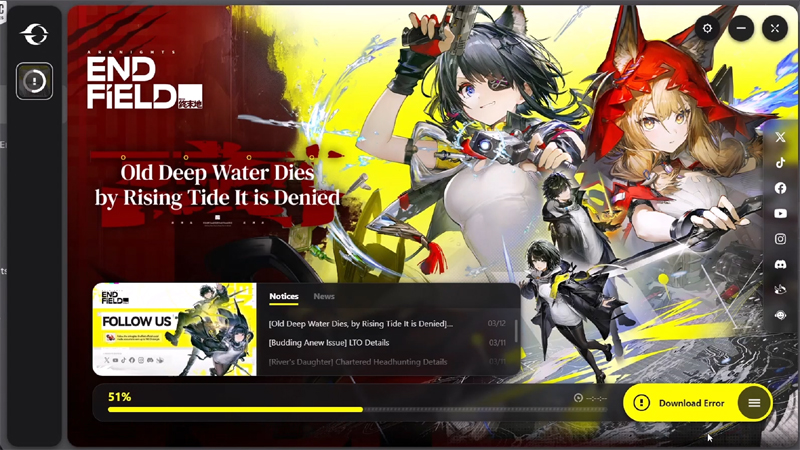
In This Article, You Will Learn How to Fix Arknights Endfield Download Error or How To Fix Download Error Code 2 In Arknights Endfield.
Solutions to Fix Arknights Endfield Download Error
Fix 1: Verify Arknights Endfield on Epic Games
- First close the Arknights Endfield. So, click on the Arrow icon in the System tray and then right-click on Arknights Endfield and select Exit.
- Now, open Epic Games Launcher and go to Library.
- Then click on 3 dots next to Arknights Endfield game then click on Manage.
- Then click on Verify, next to the to the Verify Files.
- Now, try to download Arknights Endfield again and check.
Fix 2. Spam Click on Retry Button
- When you get the Download Error, then click on “Retry” button and see if that helps or not.
- If not, then again click on “Retry” button and check.
- You may not get success in first attempt. So, try spam clicking on “Retry” button again and again until the Download resume.
Fix 3. Check Game Integrity In Arknights Endfield Launcher
- First close the Arknights Endfield. So, click on the Arrow icon in the System tray and then right-click on Arknights Endfield and select Exit.
- Now, open Epic Games Launcher and go to Library.
- And then click on Launch below the Arknights Endfield game. This will open the Arknights Endfield launcher.
- Now, select the Menu by clicking on the 3 horizontal line.
- Here, click on Check Game Integrity and then click on Start Checking.
- And once the process completes, then try to download game again and check.
Fix 4. Disable/Remove Unwanted Chrome Extensions
- So, open Chrome. Click on 3 vertical dots at top right corner and then select Extensions and then click on Manage Extensions.
- Now, disable or remove the unwanted Chrome extension (such as ad blockers, pop-up blockers, uBlock origin, etc).
- Then try again to download the Arknights Endfield and check.
If you have found this post helpful, then please share it as it can help other users!
Further Readings:
- Fix WWE 2K26 Not Launching/Crashing/Not Loading/Black Screen/Freezing On PC
- How To Fix SteamTools Purchase Error
- Fix Slay the Spire 2 Connection Error/Network Error/Multiplayer Error/5008 Error On PC

Max Field is a founder of Recover Android Data. He is an Android lover and loves to write tips, tricks, fixes for errors, data recovery solutions and more related to Android. Provide Gaming Tips, Tricks, Game Error/Issues Solutions (PC/Xbox/PlayStation/Mobile). He has 11+ years of experience in this field.