
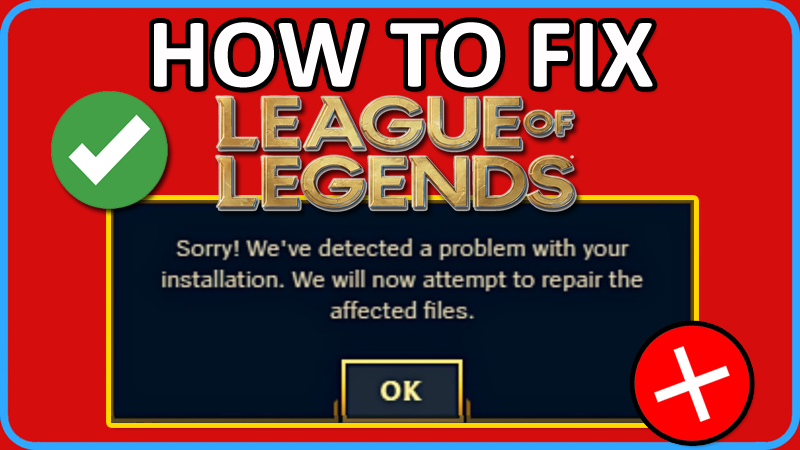
Are you getting “We’ve detected a problem with your installation” error when trying to play League of Legends.
If so, then you are not alone, there are many players out there encountering this error message.
The full error is displayed as follows:
“Sorry! We’ve detected a problem with your installation. We will now attempt to repair the affected files.”
If you are also experiencing this error then don’t worry, in this article, you will learn how to fix “We’ve have detected a problem with your installation” error in League of Legends.
How To Fix “Sorry We Have Detected a Problem With Your Installation” In League of Legends
To fix League of Legends error “We’ve have detected a problem with your installation”, you have to follow these solutions:
- Uncheck “Run this program in compatibility mode”
- Check “Run this program in compatibility mode”
- Disable Fullscreen Optimization
- Try Hextech Repair Tool
- Reset League Without Deleting
Fix 1. Uncheck “Run this program in compatibility mode”
Right-click on League of Legends shortcut icon on your desktop and select “Open File Location”.
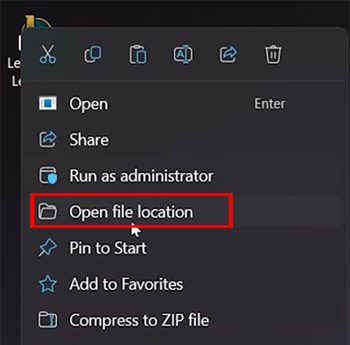
Then click on “Riot Games” and open “League of Legends” folder, then open “Game” folder.
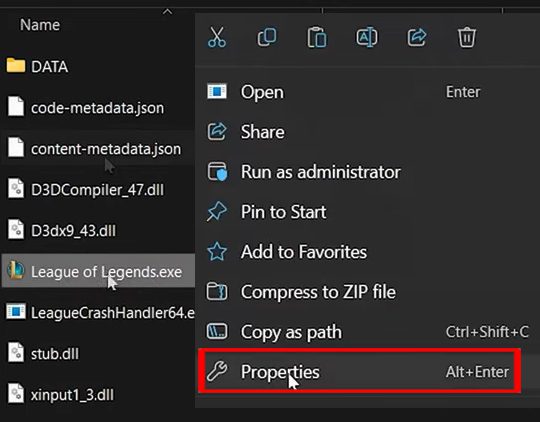
Here right-click on “League of Legends.exe” and select “Properties”.
Go to “Compatibility” tab and make sure “Run this program in compatibility mode” is unchecked.
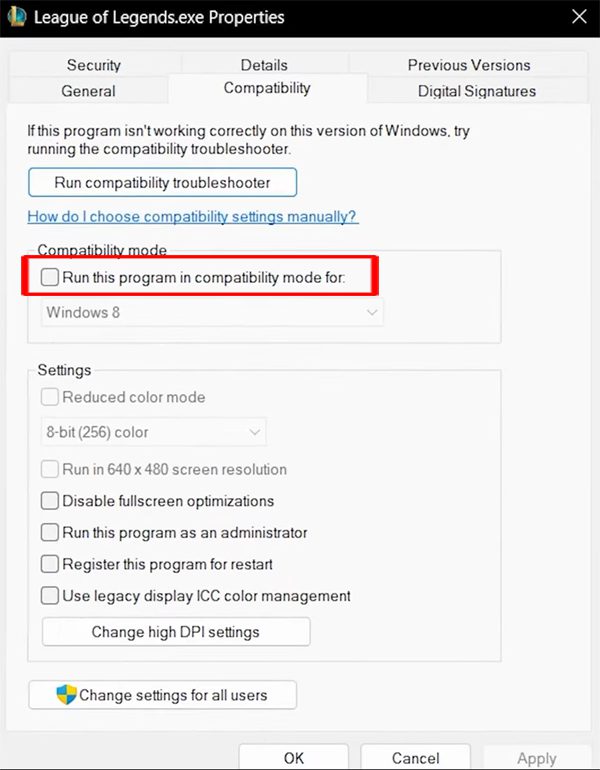
After this restart your PC and then try to join a custom match to see if it is working.
Fix 2. Check “Run this program in compatibility mode”
If unchecking the “Run this program in compatibility mode”, does not fix the issue, then Tick mark it and then try.
Right-click on League of Legends shortcut icon on your desktop and select “Open File Location”.
Then click on “Riot Games” and open “League of Legends” folder, then open “Game” folder.
Here right-click on “League of Legends.exe” and select “Properties”.
Go to “Compatibility” tab and make sure to tick mark “Run this program in compatibility mode” and select “Windows 8” from the drop-down Menu.
Click “Apply” and then “OK”.
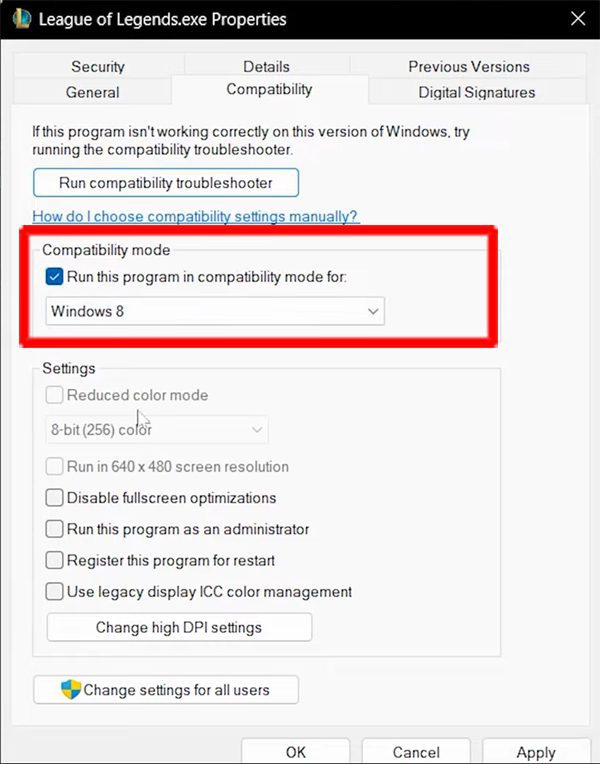
Now, check if the problem is solved or not.
Fix 3. Disable Fullscreen Optimization
Right-click on League of Legends shortcut icon on your desktop and select “Open File Location”.
Then click on “Riot Games” and open “League of Legends” folder, then open “Game” folder.
Here right-click on “League of Legends.exe” and select “Properties”.
Go to “Compatibility” tab and tick mark “Disable fullscreen optimization”.
Click “Apply” and then “OK”.
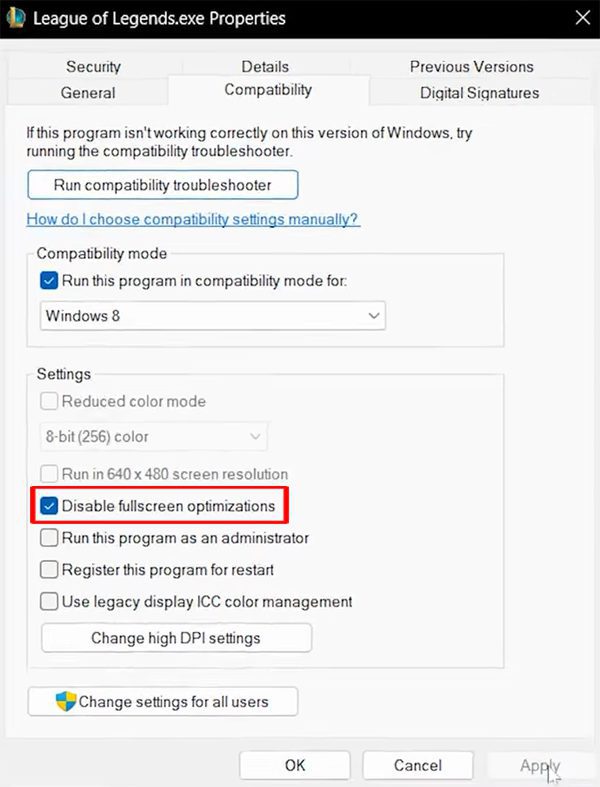
Now, check if the problem is fixed or not.
Fix 4. Try Hextech Repair Tool
It is a type of Riot’s troubleshooter program. You can try it to fix the problem.
First download and install the Hextech Repair tool on your computer.
Run Hextech Repair Tool. In the game section tick mark “Force Repatch” and “Reinstall” options.
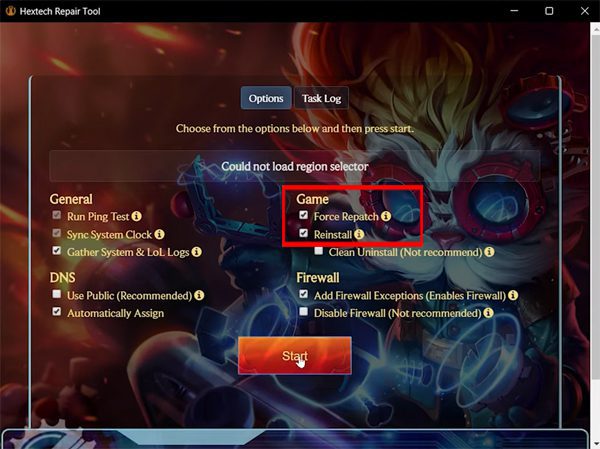
Note: Don’t worry your game will not be re-installed by ticking “Reinstall’ option.
Next, click on “Start” and if “Install Path Not Found” pops up, simply click on “Okay” to continue.
Now, browse and select “LeagueClient.exe”. Go to “Riot Games” and open “League of Legends” folder.
Here select “LeagueClient.exe” and click “Open”.
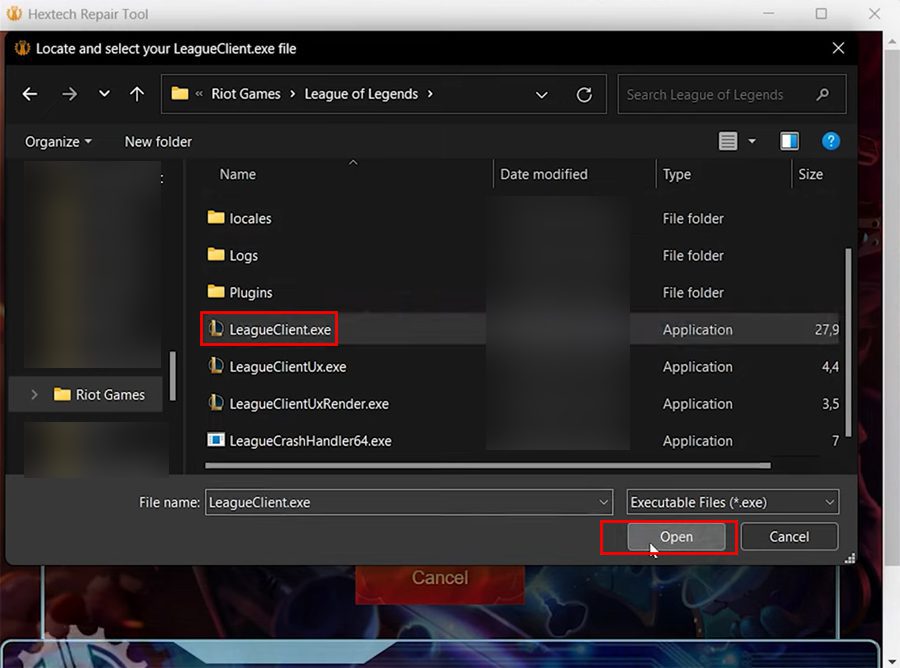
After this Hextech Repair Tool will repair it.
Once done, launch League of Legends and see if your problem is resolved or not.
Fix 5. Reset League Without Deleting
Right-click on League of Legends shortcut icon on your desktop and select “Open File Location”.
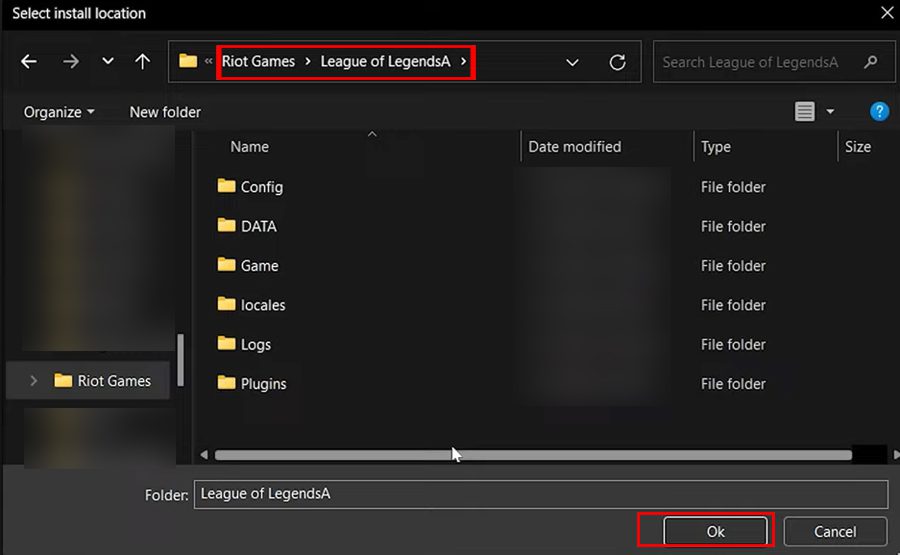
Then click on “Riot Games” and rename the “League of Legends” folder. You can rename it from “League of Legends” to “League of LegendsA” and then close the folder.
Go to Desktop and try to launch Leagues of Legends. Since it cannot find the file location of the game, it will tell you to install the game.
Click on “Install” button and then click on “Already installed?”, this will open the game folder.
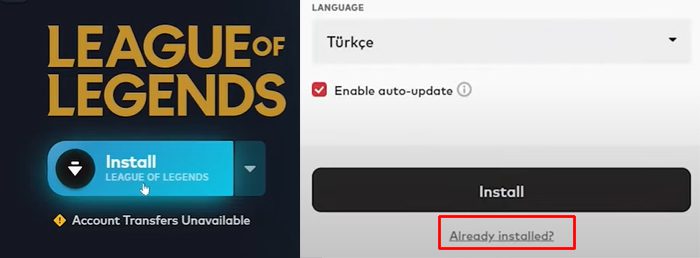
It will then open the game file location. Here, open League of LegendsA folder and click “OK”.
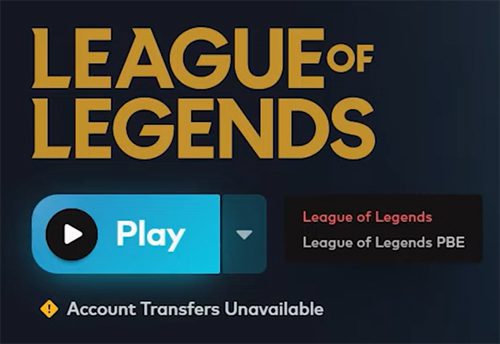
Once the verification of the files is completed, you can click on “Play” button.
Now see, if the problem is solved or not.
Wrap Up
So, that was the top 5 solutions that you can follow to fix “Sorry! We Have Detected a Problem With Your Installation” error in League of Legends.
I hope you were able to solve the problem by following these fixes.
If you have found this article helpful, then please share it as it can help other Players!
Please support us by subscribing to our YouTube Channel.

Max Field is a founder of Recover Android Data. He is an Android lover and loves to write tips, tricks, fixes for errors, data recovery solutions and more related to Android. Provide Gaming Tips, Tricks, Game Error/Issues Solutions (PC/Xbox/PlayStation/Mobile). He is now also interested in solving LinkedIn Puzzles. He has 12+ years of experience in this field.