
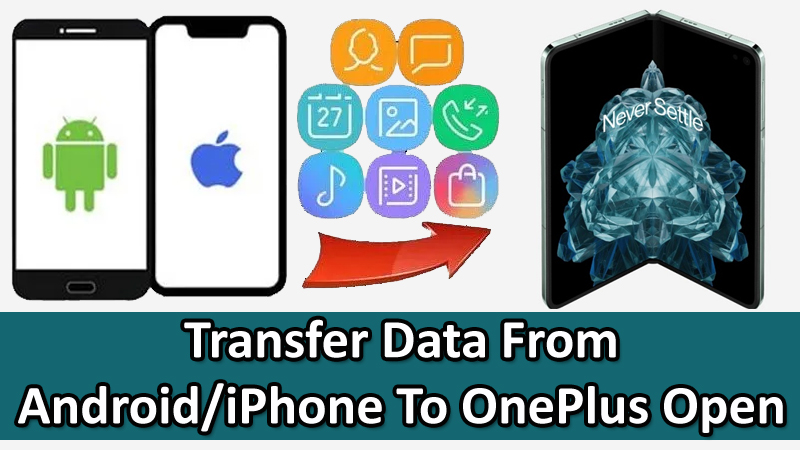
Purchased the first OnePlus foldable phone – OnePlus Open.
Very excited to use it.
Just hold on! Have you transferred all of your data from your old phone to new OnePlus Open phone?
If not, then this article is for you. In this guide, you will learn how to transfer data from an Android or iPhone to OnePlus Open.
Way 1: Use Clone Phone App To Transfer Data From Android/Samsung To OnePlus Open
With the help of Clone Phone – OnePlus app, you can easily transfer data from old OnePlus, Samsung or Android phone to new OnePlus Open foldable phone.
You can switch the following file types with Clone Phone app:
- Photos
- Videos
- Audio
- Contacts,
- Call History,
- Notes,
- Apps,
- Downloads
- Documents
- And More…
Here are the steps to do so:
Step 1: Open Clone Phone app on your OnePlus Open and select “This is new device” and select the type of the old Phone. A “QR” code will be displayed.
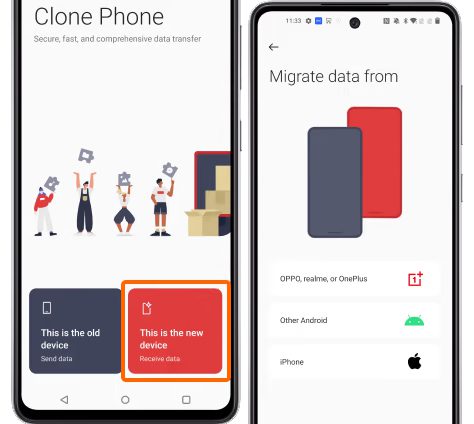
Step 2: On your old phone, open Clone Phone app and select “This is old device” and scan the QR code that is displayed on the OnePlus Open. Both devices are now connected.
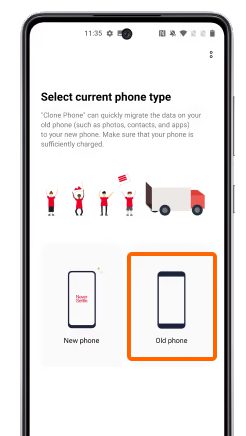
Step 3: Now, select the file types on the old phone that you want to transfer and then tap on “Start Migration”.
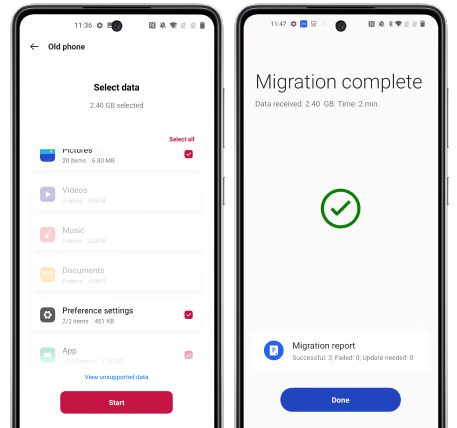
Now, just keep patience and wait for the transfer process to complete.
Tip: Similarly, you can transfer data from iPhone to OnePlus Open using Clone Phone app.
Also Read: Solutions To Fix Green Line Issue on OnePlus Phone
Way 2: Use Phone Transfer To Copy Data From Any Android/iPhone To OnePlus Open
There is another quick, fast and simple way to switch data from any iPhone or Android phone to OnePlus Open smartphone.
You can try Phone Transfer software – one click to copy data from one phone to another. You can use this tool to move data from Samsung/OnePlus/iPhone or any other Android phone to OnePlus Open phone.
With phone transfer you can transfer following file types:
- Android (Samsung/OnePlus) To OnePlus Open: Transfer 11 file types: photos, videos, contacts, messages, call history, bookmarks, calendars, voice memos, contact blacklists, music, and apps.
- iOS (iPhone/iPad) To OnePlus Open: Transfer 12 file types: photos, videos, contacts, contact blacklists, messages, bookmarks, calendars, voice memos, music, alarm records, voicemail, and ringtones.

|

|


Use Phone Transfer software to move data from iPhone/Android to OnePlus Open.
Wrap Up
That was all about data transfer from old phone to new OnePlus Open phone.
You can use OnePlus official Clone Phone app or you can try professional Phone Transfer software to do the task.
If you have found this article helpful, then please share it as it can help others!
Please support us by subscribing to our YouTube Channel.
You May Also Like:
- OnePlus Lockbox Recovery – Recover Data From Private Safe/Lockbox
- How To Recover Data From OnePlus With Broken Screen
- How To Change Lock Screen Wallpaper On OnePlus
- How To Unlock OnePlus With Broken Screen

Max Field is a founder of Recover Android Data. He is an Android lover and loves to write tips, tricks, fixes for errors, data recovery solutions and more related to Android. Provide Gaming Tips, Tricks, Game Error/Issues Solutions (PC/Xbox/PlayStation/Mobile). He is now also interested in solving LinkedIn Puzzles. He has 12+ years of experience in this field.