
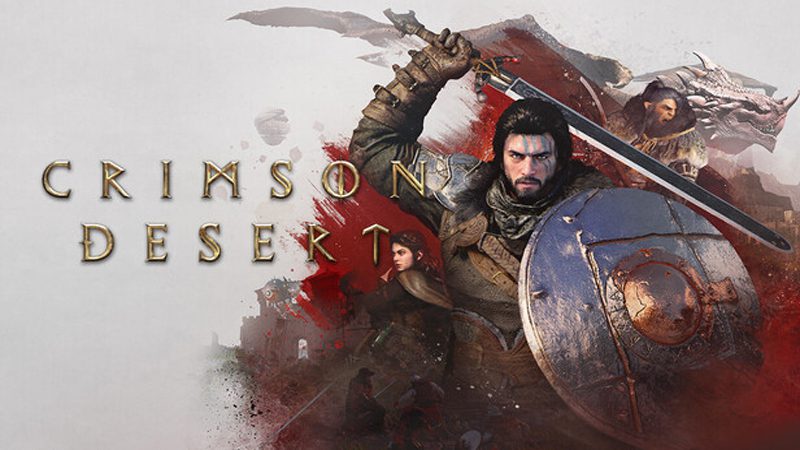
Crimson Desert is an open-world action-adventure set on the continent of Pywel. Join Kliff on his journey to rebuild the Greymane faction and to save the land from a looming threat. From vast wilderness and cities to ruins and the mysterious Abyss, forge your path through battles and discovery.
In This Article, You Will Learn How To Change Language In Crimson Desert (Steam Users). Change Language From English To Any Other Available Language or Vice Versa.
Steps To Change Language In Crimson Desert
1: Launch Steam and navigate to Library.
2: Right-click on “Crimson Desert” and select “Properties”.
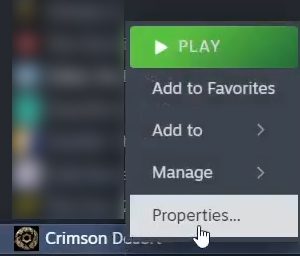
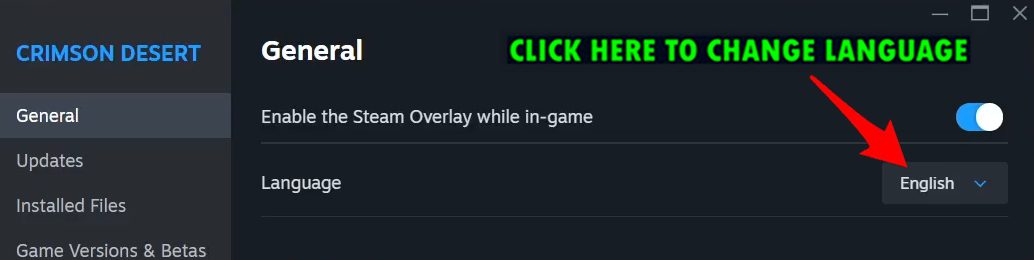
3: Here, in General tab, you can change the language in Crimson Desert.
4: Next to “Language”, click on Drop-Down menu and select the language that you want to change to and close the tab.
That’s It!
If you have found this post helpful, then please share it as it can help other users!

Max Field is a founder of Recover Android Data. He is an Android lover and loves to write tips, tricks, fixes for errors, data recovery solutions and more related to Android. Provide Gaming Tips, Tricks, Game Error/Issues Solutions (PC/Xbox/PlayStation/Mobile). He is now also interested in solving LinkedIn Puzzles. He has 12+ years of experience in this field.