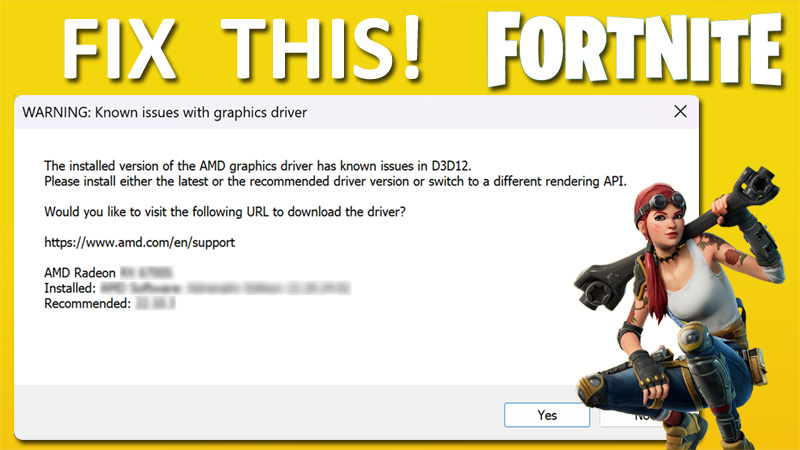
If you are facing the “WARNING: Known issues with the graphics driver” error in Fortnite, then you have come to the right place.
Usually, this error appears for those who are using an AMD graphics card. Here is what the error message says “The installed version of the AMD graphics driver has known issues in D3D12. Please install the recommended driver version or switch to a different rendering API”.
Many people are having trouble playing Fortnite because it randomly throws you this error even when you have installed the latest graphics driver.
Majority of people don’t know how to fix it, so we have come up with this guide that will help you to fix “The installed version of the AMD graphics driver has known issues in D3D12” In Fortnite.
There is a simple and easy way to fix it, so let’s check out what it is.
How To Fix “The installed version of the AMD graphics driver has known issues in D3D12” In Fortnite
To fix the AMD graphics driver D3D12 error, you have to modify the launch options of Fortnite from Epic Games Launcher.
Also, if you don’t have the latest graphics driver installed on your PC, then make sure to do it.
Fix 1. Modify Launch Option
As the error message says, your installed version of the graphics driver isn’t compatible or has issues with the D3D12, so you have to change the launch options for Fortnite to “-dx11”.
Doing so will fix the error and you can enjoy playing the game.
This is how you can do it.
- Open Epic Games Launcher and go to the Library.
- Click on the 3 Dots present under Fortnite, then click on Manage.
- Enable the toggle next to “Launch Options” and type “-dx11” in the below box.
Now, launch the game and the issue should be fixed.
If you are still facing the problem or your game is stuttering in the following launch option, then enter any of these launch options “-d3d11” or “-vulkan”.
Fix 2. Update GPU Drivers
In case, the above method doesn’t resolve the issue, then you are suggested to update your graphics card driver.
Maybe you have not installed the latest GPU drivers or you have the outdated one.
To update it, go to the AMD Drivers and Support page and search for your specific graphics card.
Update your graphics card driver, then launch the game and check if this solves the issue or not.
Wrap Up
Fortnite is a fun-to-play game but sometimes causes such issues.
In this guide, we have covered the “The installed version of the AMD graphics driver has known issues in D3D12” issue in Fortnite and how to fix it.
We recommend, keep your GPU drivers updated to prevent unwanted scenarios.
If you are reading this far, then don’t forget to share this guide with others.
You May Also Like: