
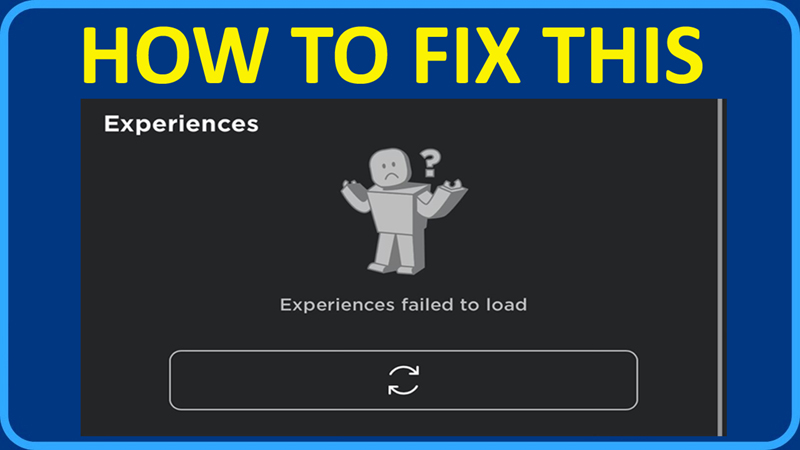
In This Article, You Will Learn How To Fix “Experiences failed to load” In Roblox.
How To Fix Roblox “Experiences failed to load” Error
Fix 1. Use The Search Bar For The Experience
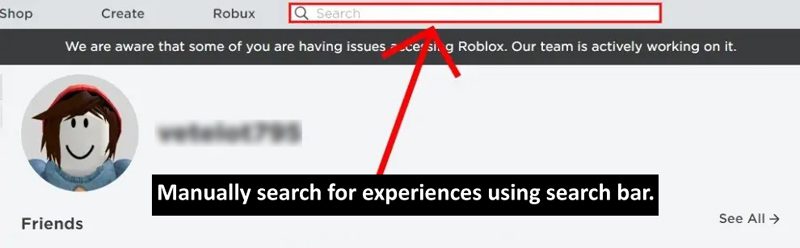
- Use the search bar to search for the experience.
- By this, you will land on the Discover page instead of Homepage.
- For example, if you want to play “Brookhaven”, then search for it using the search bar and play it.
- However, this will only work if the server is not down.
Fix 2. Check For Roblox Server Status
- Go to: https://status.roblox.com/
- Or go to: https://downdetector.com/status/roblox/
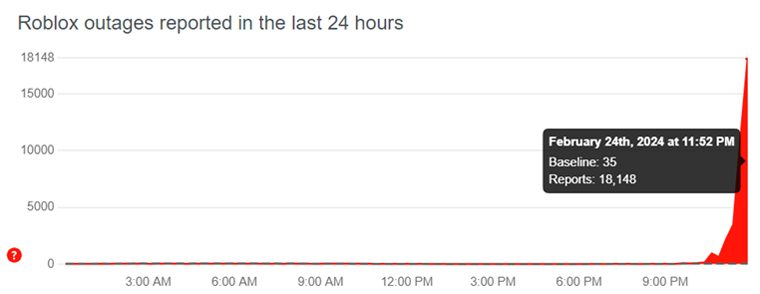
(Image Source: Downdetector)
If you see that Roblox server is down, under maintenance or having an outage, then you can’t do anything from your side, but to wait until the server issue is fixed by the Roblox team.
If you have found this post helpful, then please share it as it can help other users!
Please support us by subscribing to our YouTube Channel.
You May Also Like:
- Fix Roblox Error “Failed To Reach. Please Check Your Internet Connection”
- 6 Ways To Fix An Error Occurred and Roblox Cannot Continue
- How To Fix Roblox Keeps Crashing On Android
- How To Fix “We are aware that there is an issue with saving changes to avatars on Roblox”

Max Field is a founder of Recover Android Data. He is an Android lover and loves to write tips, tricks, fixes for errors, data recovery solutions and more related to Android. Provide Gaming Tips, Tricks, Game Error/Issues Solutions (PC/Xbox/PlayStation/Mobile). He is now also interested in solving LinkedIn Puzzles. He has 12+ years of experience in this field.