
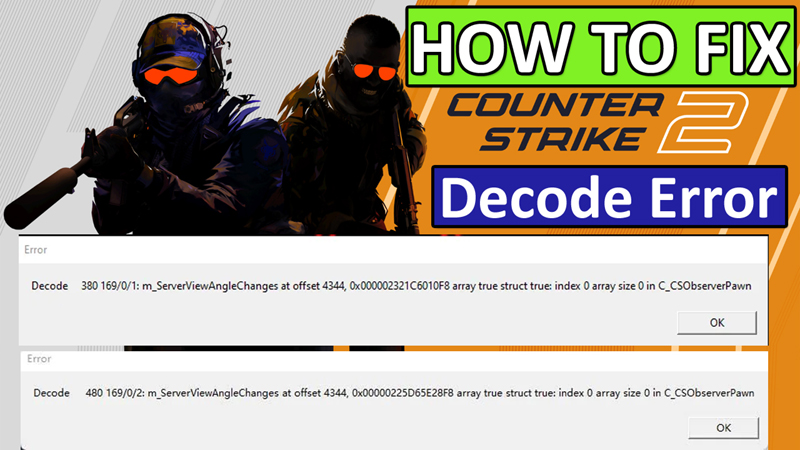
After going through the Steam community, Reddit, and other several forum and community websites, I have found that many players of Counter Strike 2 are experiencing – Decode error.
The full error message is as follows:
“Decode 119 169/0/2:
m_ServerViewAngleChanges at offset 4344, 0x000001FC2BCA28F8 array true struct true: index 0 array size 0 in C_CSObserverPawn”
However, the error code number “Decode 119 169/0/2” and “0x000001FC2BCA28F8” is changed for different players.
So, if you are also getting this decode error then don’t worry, in this article, you will learn how to fix Decode error in Counter Strike 2 (CS2).
How To Fix CS2 Decode Error

To fix the Counter Strike 2 (CS2) Decode error, you can follow these solutions:
- Run Steam as an Administrator
- Check Your Internet Connection
- Verify the Integrity Of Game Files
- Update Graphics Drivers
- Uninstall and Reinstall The Game
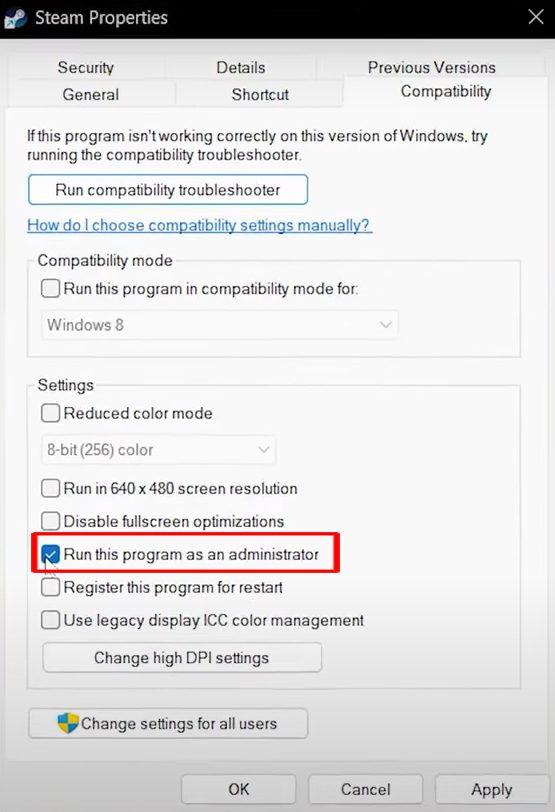
Fix 1. Run Steam as an Administrator
- Right-click on Steam icon and select “Properties”.
- Go to “Compatibility”.
- Check mark “Run this program as an administrator”.
- Click on “Apply” and then “OK”.
- Now try to launch the CS2 game.
Fix 2. Check Your Internet Connection
- Make sure you are connected to properly working and stable internet.
- Unplug the internet connection, whether you are using a modem or router.
- Wait for 30-40 seconds and then plug it back in.
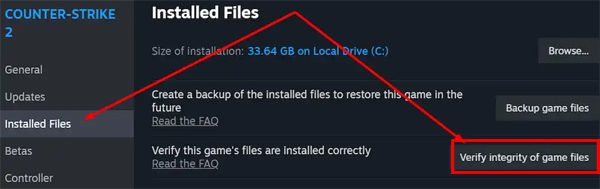
Fix 3. Verify the Integrity Of Game Files
- Open Steam and go to your “Library”.
- Click on “3 dots” next to CS2 game.
- Select “Properties” and go to “Installed Files” tab.
- Click on “Verify integrity of game files”.
- Now, try to launch CS2.
Fix 4. Update Graphics Drivers
- Press Windows Key + X and select Device Manager and click on Display Adapters.
- Right-click on your Graphics card driver and click on “Update Driver”.
- Then follow the on-screen steps to install the latest drivers for your system.
Fix 5. Uninstall and Reinstall The Game
- If all fixes fail, then uninstall the CS2 from your PC.
- Then go to official – https://store.steampowered.com/app/730/CounterStrike_2/
- CS2 Website and download and install the game.
- Then try to launch CS2.
Wrap Up
Out of these five solutions, I hope any one of the solutions might have helped to fix Counter Strike 2 (CS2) Decode error.
If you have found this post helpful, then please share it as it can help other users!
Please support us by subscribing to our YouTube Channel.
You May Also Like:
- How To Fix Steam Games Not Launching
- How To Fix “Login Failed” Error In Fortnite on Xbox
- How To Fix Apex Legends Infinite Loading Screen (Spinning Circle)
- How To Fix Surviving The Aftermath Not Loading

Max Field is a founder of Recover Android Data. He is an Android lover and loves to write tips, tricks, fixes for errors, data recovery solutions and more related to Android. Provide Gaming Tips, Tricks, Game Error/Issues Solutions (PC/Xbox/PlayStation/Mobile). He is now also interested in solving LinkedIn Puzzles. He has 12+ years of experience in this field.