
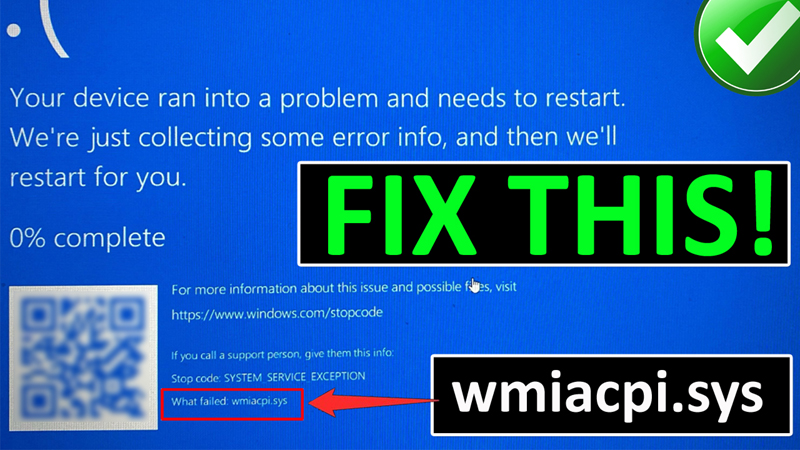
In This Article, You Will Learn How To Fix wmiacpi.sys Blue Screen Crash Error on Lenovo PC or How To Fix wmiacpi.sys Blue Screen of Death (BSoD) on Lenovo Computer.
How To Fix wmiacpi.sys Blue Screen Crash Error on Lenovo PC
Fix 1. Check For Lenovo Vantage Update
- In Windows search type “Lenovo Vantage” and open it.
- Then, click on “Check for updates” option.
- If any update is available, then download and install it.
Fix 2. Uninstall and Re-Install Lenovo Vantage
Click on Windows icon and then click on “Settings”.
- On the left click on “Apps” and then click on Installed Apps.
- Now, look for Lenovo Vantage and click on 3 dots next to it and select Uninstall.
- Then look for Lenovo Vantage Service and click on 3 dots next to it and select Uninstall.
- Restart your PC.
- Open Microsoft Store. Search for “Lenovo Vantage” and click on “Get” to install Lenovo Vantage.
Fix 3. Update BIOS and Energy Management
Note: Before you follow these steps, plug-in charger to your PC and do not unplug it because during BIOS update your PC will reboot
- Open Chrome and go to https://pcsupport.lenovo.com/us/en
- Click on “Detect Product” or “Browse Product” and select your computer’s model.
- Click on Drivers & Software.
- Click on “Select Drivers”, under Manual Update.
- Select “BIOS/UEFI” and download the “BIOS Update”.
- After BIOS update, click on “Back To Manual Driver List”.
- Click on “Power Management” option.
- If any download is available, then download “Lenovo Energy Management”.
If you have found this post helpful, then please share it as it can help other users!
Please support us by subscribing to our YouTube Channel.
You May Also Like:
- How To Fix CTRL+W Not Working On Windows 11 and 10
- How To Fix KB5033920 Update Not Installing on Windows 11
- How To Fix Xbox App for PC Not Installing
- How To Fix Steam “Captcha Not Working” Error

Max Field is a founder of Recover Android Data. He is an Android lover and loves to write tips, tricks, fixes for errors, data recovery solutions and more related to Android. Provide Gaming Tips, Tricks, Game Error/Issues Solutions (PC/Xbox/PlayStation/Mobile). He is now also interested in solving LinkedIn Puzzles. He has 12+ years of experience in this field.