
Is your Surviving the Aftermath game not loading?
Is it stuck on the loading screen?
If, so, then you are not alone. There are many players out there encountering this problem.
So, in this article, you are going to learn how to fix Surviving the Aftermath game not loading or stuck in loading screen.
How To Fix Surviving The Aftermath Not Loading
To fix Surviving the Aftermath stuck in loading screen or not loading or not opening, you have to follow these solutions:
- Run Epic Games as Administrator
- Set Aftermath To High Performance
- Allow Aftermath Through Windows Defender Firewall
- Use Aftermath With Your Epic Games Account
- Uninstall and Reinstall Aftermath
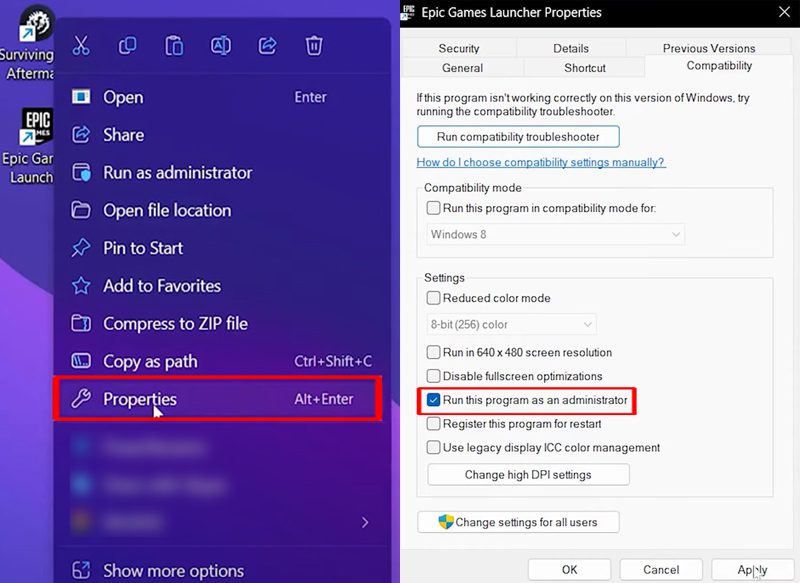
Fix 1. Run Epic Games as Administrator
- Right-click on Epic Games and select “Properties”.
- Go to “Compatibility”.
- Check mark “Run this program as an admin”.
- Click on “Apply” and then “OK”.
- Now try to load Surviving The Aftermath game.
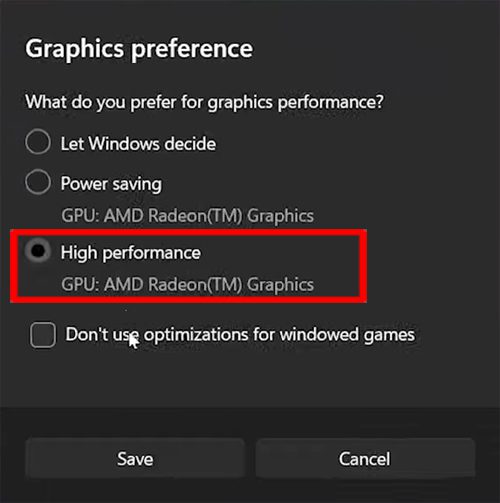
Fix 2. Set Aftermath To High Performance
- Click on “Windows” icon and search for “Graphic settings” and click on it.
- Under “Add an app” click on “Browse” and add Aftermath application to the list.
- To do so, go to Aftermath’s file location (e.g., C:\Program Files\Epic Games\SurvivingTheAftermath).
- Select “Aftermath64.exe” application and click “Add”.
- Then click on “Options” and set Aftermath to “High performance”.
Fix 3. Allow Aftermath Through Windows Defender Firewall
- Launch Aftermath and click on “Play”.
- Allow access through the firewall when prompted.
- Authorize your Epic account if needed.
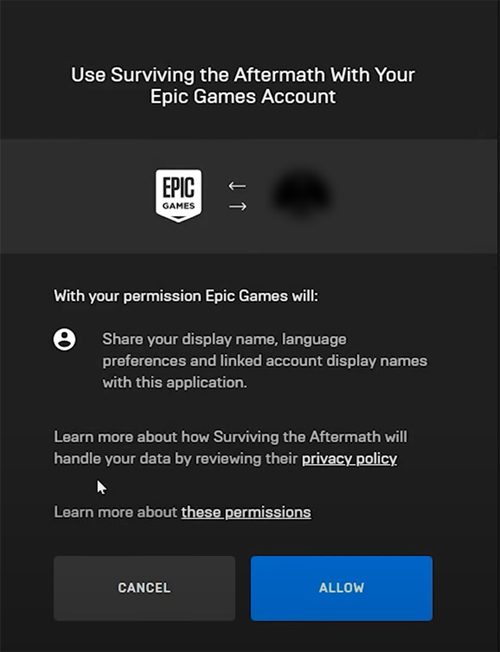
Fix 4. Use Aftermath With Your Epic Games Account
- Open Epic Games Launcher and launch Aftermath.
- Click “Allow” to allow public and private networks to access the app.
- Now the browser will open automatically, click on “Allow” to use Surviving the Aftermath with your Epic Games account.
Tip: If the browser does not open automatically, then you have to set Chromes as your default browser.
Fix 5. Uninstall and Reinstall Aftermath
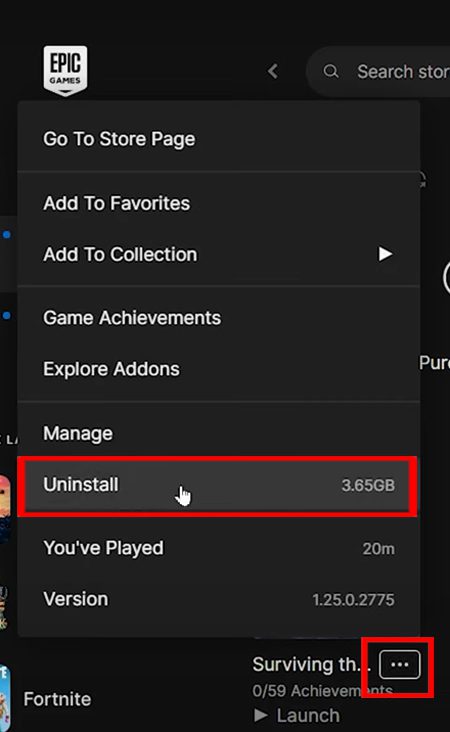
- Open Epic Games and go to your
- Click on three dots next to Aftermath and then click on “Uninstall”.
- Now, download and reinstall the game.
Wrap Up
I hope, out of the five solutions, any one of them has helped you to fix Surviving the Aftermath not loading or stuck in loading screen.
If you have found this post helpful, then please share it as it can help other players!
Please support us by subscribing to our YouTube Channel.
You May Also Like:
- How To Fix Steam Games Not Launching
- How To Fix Monster Hunter Now Not Working
- How To Fix Fortnite Servers Not Responding
- 6 Ways To Fix An Error Occurred and Roblox Cannot Continue

Max Field is a founder of Recover Android Data. He is an Android lover and loves to write tips, tricks, fixes for errors, data recovery solutions and more related to Android. Provide Gaming Tips, Tricks, Game Error/Issues Solutions (PC/Xbox/PlayStation/Mobile). He is now also interested in solving LinkedIn Puzzles. He has 12+ years of experience in this field.