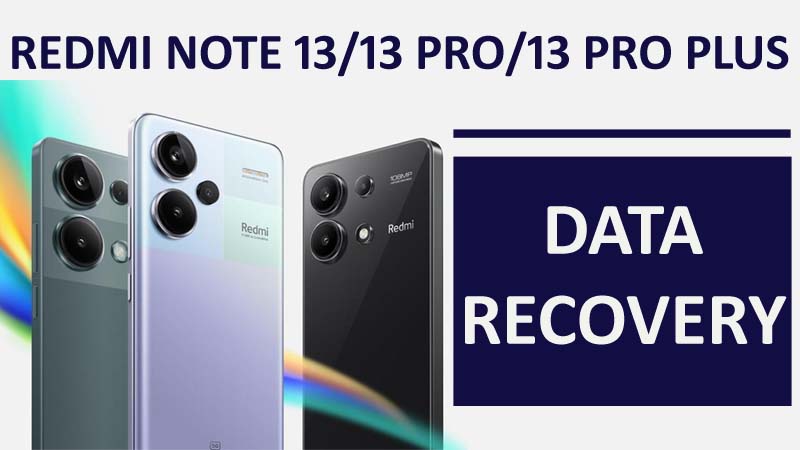
Have you lost data from your Redmi Note 13/13 Pro/13 Pro+?
Redmi is an Android-based smartphone launched by a private company Xiaomi.

Have you lost data from your Redmi Note 13/13 Pro/13 Pro+?
Redmi is an Android-based smartphone launched by a private company Xiaomi.

Lots of Xiaomi device users who use Redmi phones or Mi phones are facing with “Don’t cover the earphone area” error.
This error is specifically seen on Xiaomi mobile phones and other Poco phones such as Redmi 9/9c, Redmi Note 9/9 Pro, Redmi 9a/9t, Redmi Note 8/8 Pro, Redmi Note 7, Poco X3/X3 Pro, Poco M3.

Is your Redmi Note 10 Pro or Note 10 Pro Max camera not working or not opening?
When you try to switch from the rear camera to the selfie it gets stuck. A black screen error occurs.
Or are you experiencing that your Redmi Note 10 Pro Max/Note 10 camera has stopped working after the update?

Overview: Losing important data from Redmi phone is really frustrating and it can be triggered by various reasons such as wrong operations, system crash, forgotten screen lock password, virus infection, system crash, ROM flashing, etc. Regardless of data loss, you can still recover deleted data from Redmi Note 12, 12 Pro or 12 Pro Plus. Just go through the article.

Overview: Have you accidentally lost or deleted data from your Redmi 8, 8A, 8T, Note 8 or Note 8 Pro. No matter whatever reason behind it or you have taken backup or not. In this article you will learn 4 effective methods on how to recover deleted or lost data from Redmi 8/8A/8T/Note 8/Note 8 Pro.

Summary: Are you getting “Install_Failed_User_Restricted” error on Android Studio using Redmi devices? Are you looking for the solution to fix this annoying error? If “Yes”, then you have landed on the right webpage. In this post I have mentioned some of the effective solutions that will definitely help you to fix “Install_Failed_User_Restricted” error Android Studio using Redmi devices. Just go through the solutions and fix the problem by yourself.

Overview: Have you ever faced the problem of data loss on your Redmi 7/Note 7/Note 7 Pro? If you want to recover these files, then read this post. I am sure that it will help you to get recover deleted or lost data very easily.

Overview: This guide will help you to recover lost or deleted data from Xiaomi Redmi 6/6A/6 Pro/Note 6 Pro with or without backup. Simply read the guide and follow the steps to get back deleted data on your Redmi 6 series smartphones.

Overview: Lost or accidentally deleted data from Redmi 5/5A/5A Prime/5 Plus? Looking for solution to restore erased or missing data from Redmi Note 5/ Note 5 Pro. If “yes” then you have landed on the right webpage. In this particular post you will learn the easiest way to recover deleted data from Redmi 5/5A/5 Plus/Note 5/5 Pro/5A Prime.

Overview: Want to backup Xiaomi Redmi phone data to computer? Or looking how to backup and restore Redmi phone data to Cloud? If “yes” then this post is for you. Here you will learn about the easiest way to backup Xiaomi Mi and Redmi phone data to computer, Local Backups and Mi Cloud and restore them back. Just go through the post and follow the instructions.