
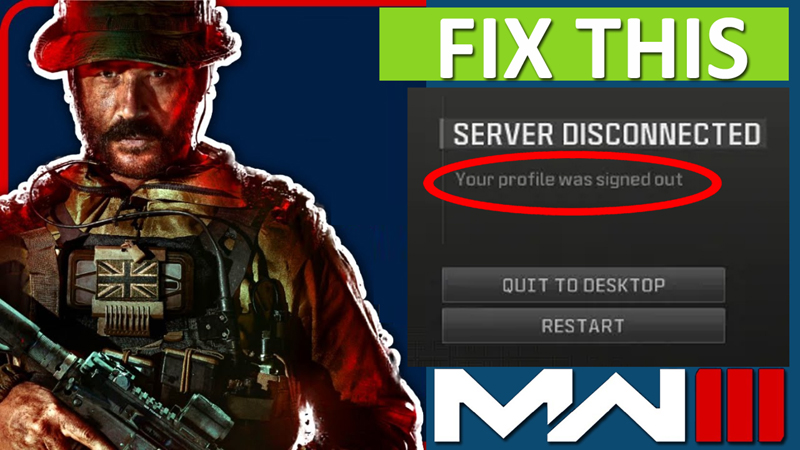
Call of Duty: Modern Warfare 3 has been launched for all platforms. The game was officially released on Nov 8, and there are many players who are already getting plenty of issues and errors and one of them is – “Your profile was signed out” error.
The players of MW3 are reporting the common bug that doesn’t allow players to enter a Multiplayer lobby.
The full error message read as:
“SERVER DISCONNECTED
Your profile was signed out”.
Along with “QUIT TO DESKTOP” and “RESTART” options.
New games are expected to have bugs and error at launch that is likely to be fixed in future patches and hotfixes, but in the meantime, there are some effective solutions that can help you fix the error.
In this guide, you will learn how to fix the server disconnected “Your profile was signed out” error in Modern Warfare (MW3) on Steam and console.
How To Fix “Your profile was signed out” In MW3
To fix “Your profile was signed out” server disconnected problem in MW3, you can follow the following solutions:
- Check Your Internet Connection.
- Go Offline and Then Go Online.
- Change Game Voice Channel Settings.
- Clear Download Cache.
- Verify Integrity of Game Files.
Fix 1. Check Your Internet Connection
Make sure you are connected to a working and stable internet connection.
Do an online speed test.
Restart your Router + Modem.
If you find your internet speed slow or weak, then contact your internet service provider (ISP).
Fix 2. Go Offline and Then Go Online
- Close Modern Warfare 3 and open Steam.
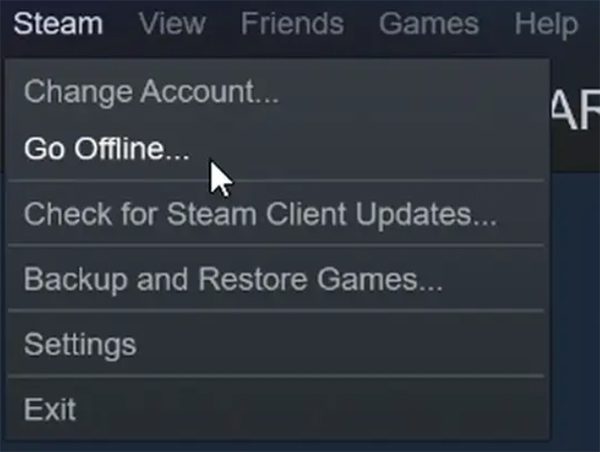
- Click on word “Steam” top left drop-down menu and select “Go Offline…”.
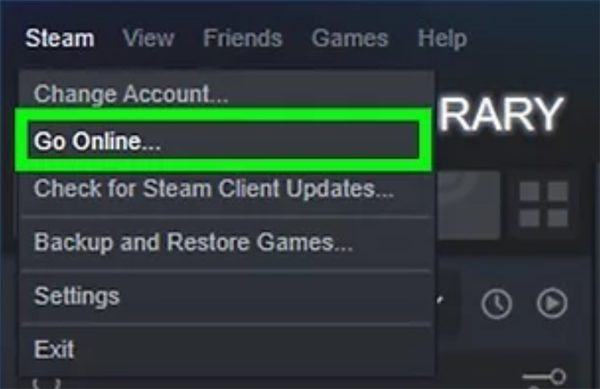
- Click on word “Steam” top left drop-down menu again and select “Go Online…”.
- After this, launch Modern Warfare 3 (MW3).
Fix 3. Change Game Voice Channel Settings
- Launch MW3.
- Go to Game Settings > Audio > Voice chat.
- Pick Game Voice Channel to “Party Only”.
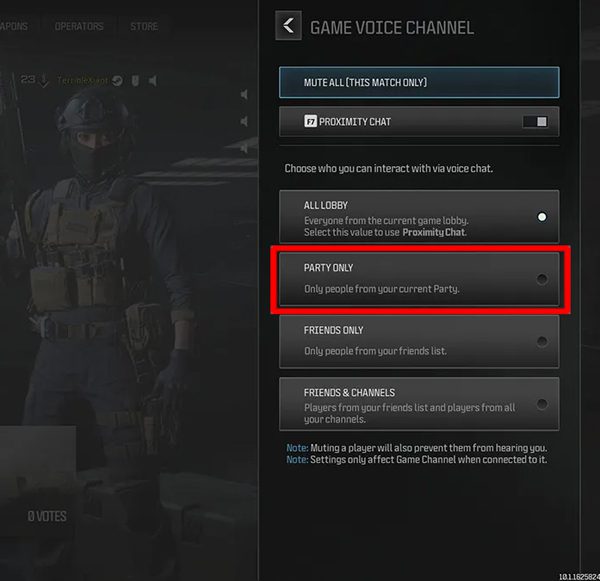
Tip: If that doesn’t help, then pick Game Voice Channel to “Lobby Only”.
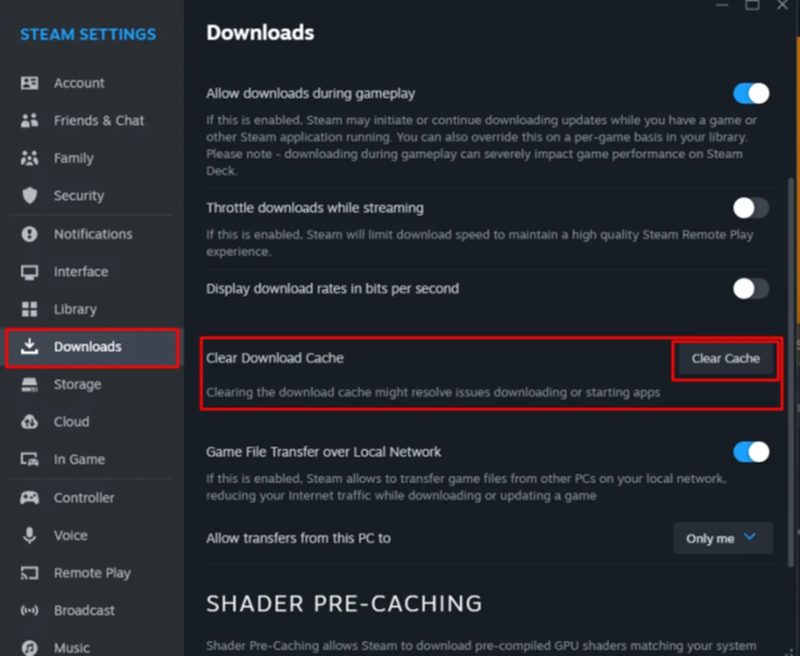
Fix 4. Clear Download Cache
- Open Steam.
- Click on word “Steam” top left drop-down menu.
- Select “Setting” and click on “Download”.
- Next to Clear Download Cache, click on “Clear cache”.
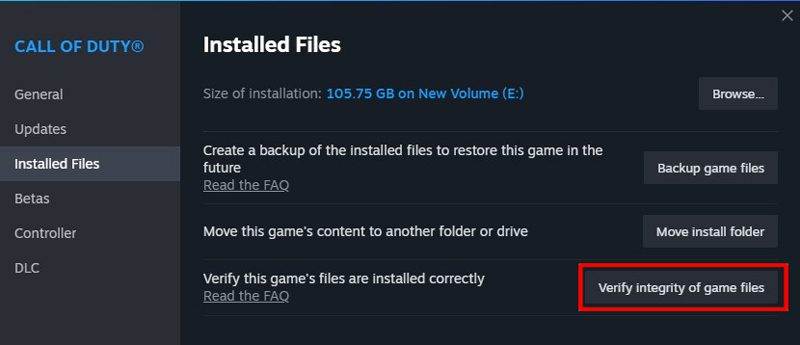
Fix 5. Verify Integrity of Game Files
- Launch Steam and go to Library.
- Right-click on Call of Duty: MW3 and select “Properties”.
- Go to “Installed Files” tab and click on “Verify integrity of game files”.
Wrap Up
I hope following the solutions mentioned in the post has helped you in fixing the bug/error “Your profile was signed out” in Modern Warfare 3 (MW3).
If you have found this article helpful, please share it as it can help other players!
Please support us by subscribing to our YouTube Channel.
You May Also Like:
- Fix Call Of Duty Mobile Log In Issue Due To Authorization Error
- 6+ Ways To Fix COD Mobile Controller Not Working
- How To Fix Call of Duty Mobile Lag On Android And Play It Smoothly
- How To Fix Skin Not Showing Up In Modern Warfare 3 (MW3)

Max Field is a founder of Recover Android Data. He is an Android lover and loves to write tips, tricks, fixes for errors, data recovery solutions and more related to Android. Provide Gaming Tips, Tricks, Game Error/Issues Solutions (PC/Xbox/PlayStation/Mobile). He is now also interested in solving LinkedIn Puzzles. He has 12+ years of experience in this field.