

Mewgenics is a grid-based roguelike tactical RPG developed by Edmund McMillen and Tyler Glaiel, focused on breeding and raising mutant cats to fight in chaotic, procedural battles.
Players manage cat genetics, gear, and abilities across runs, with the goal of creating powerful lineages while dealing with permanent, often darkly humorous, consequences like death and mutation.
It features a 200-hour campaign with hundreds of items, bosses, and rewards.
In this article, you’ll learn how to fix an invisible cursor in Mewgenics (mouse cursor disappeared/not showing or missing in game).
Steps To Fix Invisible Cursor in Mewgenics
Here follow the steps to fix the Invisible Mouse Cursor in Mewgenics:
Step 1. Switch to Windowed: Launch the game and go to In-Game-Settings > Video Settings > Untick Fullscreen.
Step 2. Change Cursor Mode: Go to In-Game-Settings > Input > Switch “Cursor Mode” to “In Game”.
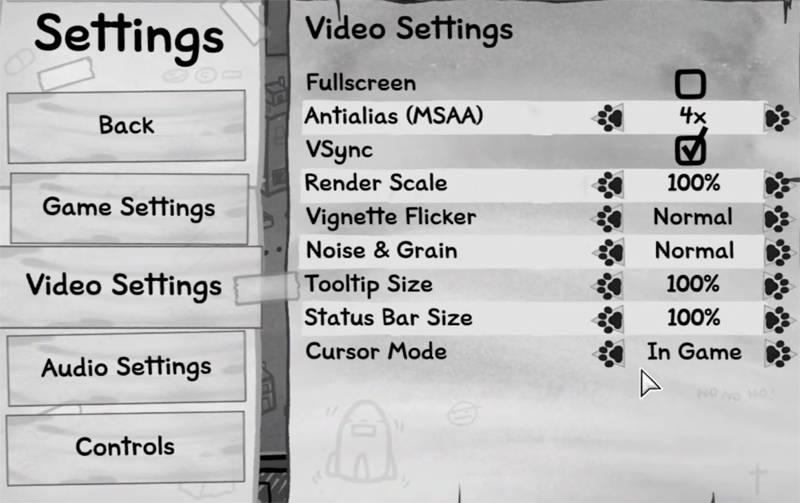
Step 3. Back to Fullscreen: Go to In-Game-Settings > Video Settings > Tick Fullscreen.
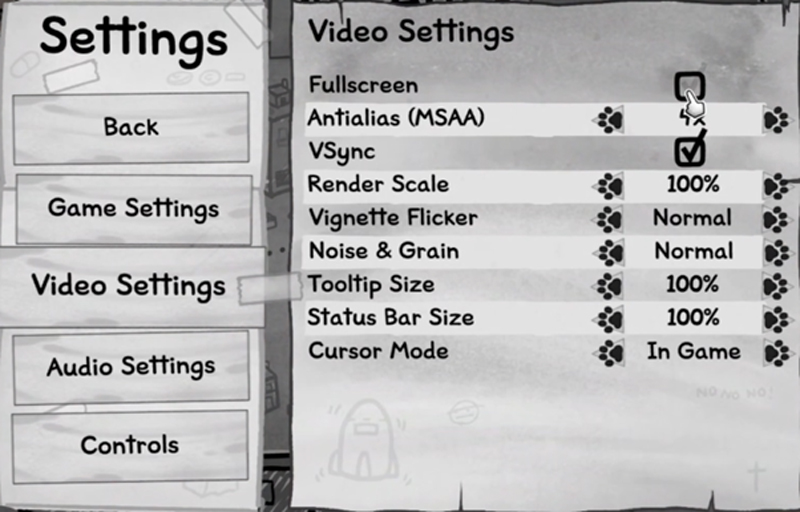
And Then Check If Your Problem is Solved or Not.
Enable Steam Input
If that doesn’t work, then try this trick:
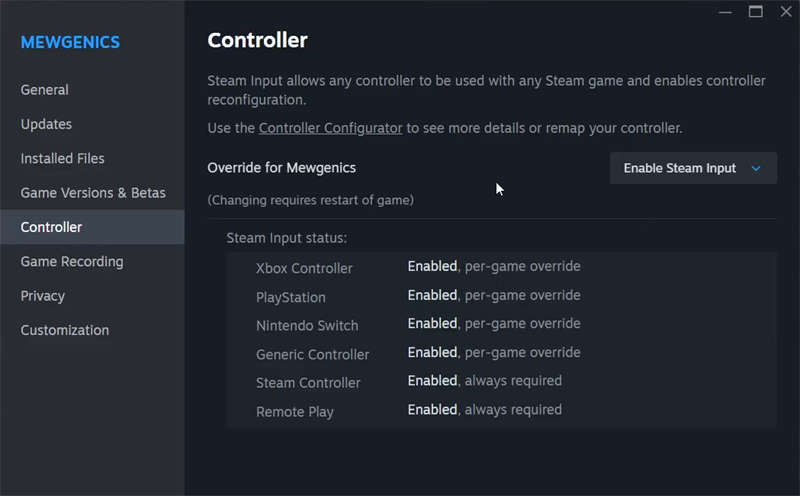
- Open Steam > Library > Right-click on Mewgenics > Click on Properties.
- Go to Controller tab and next to Override for Mewgenics select Enable Steam Input from the drop-down and then restart your game and then check.
If you have found this post helpful, then please share it as it can help other users!

Max Field is a founder of Recover Android Data. He is an Android lover and loves to write tips, tricks, fixes for errors, data recovery solutions and more related to Android. Provide Gaming Tips, Tricks, Game Error/Issues Solutions (PC/Xbox/PlayStation/Mobile). He has 11+ years of experience in this field.